NCoE for Immersive Tech · Algoma University Brampton · 2–27 Oct 2026

From a printed map to a living city

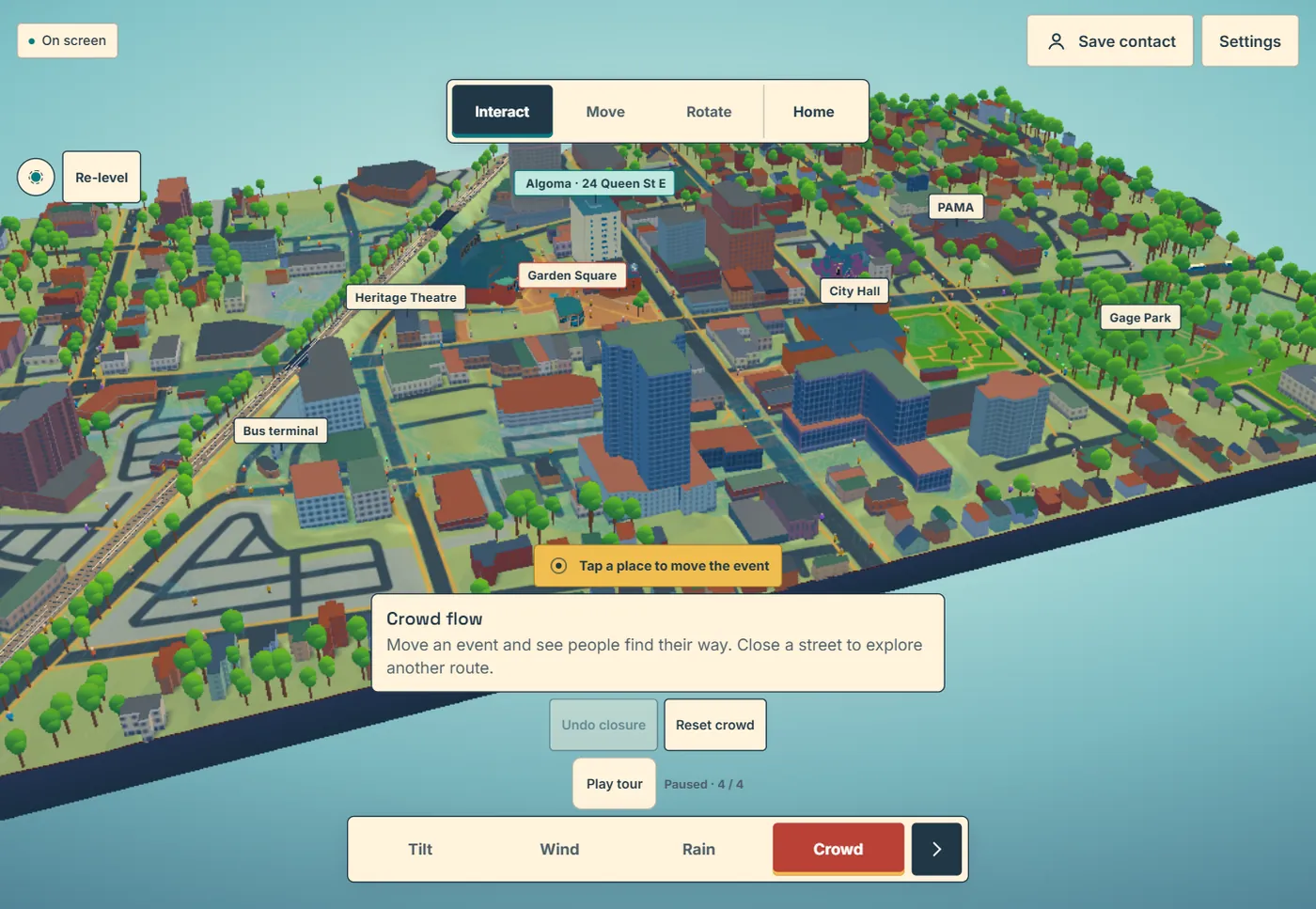
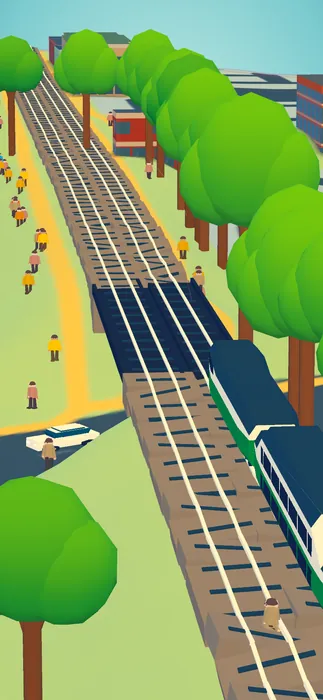
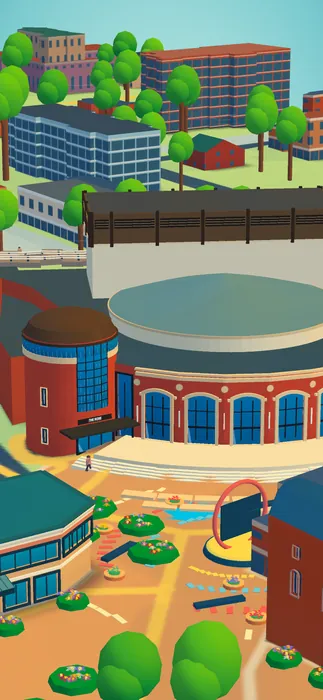
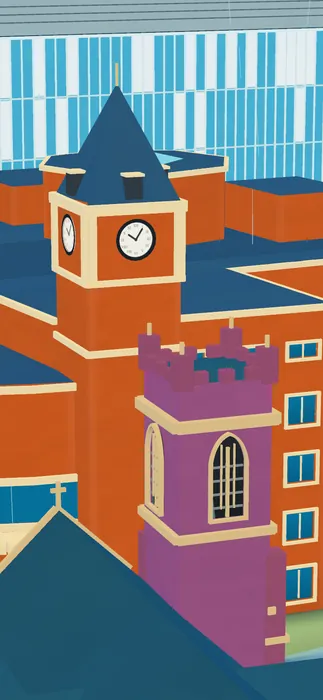
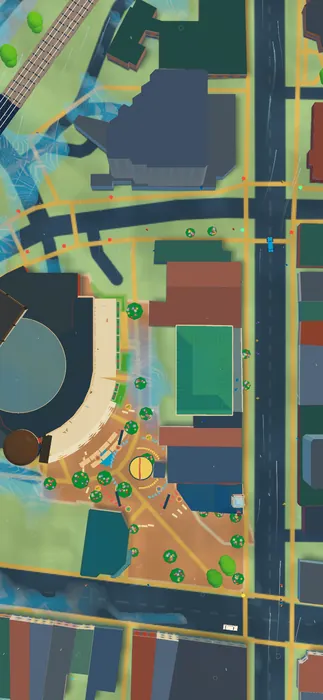
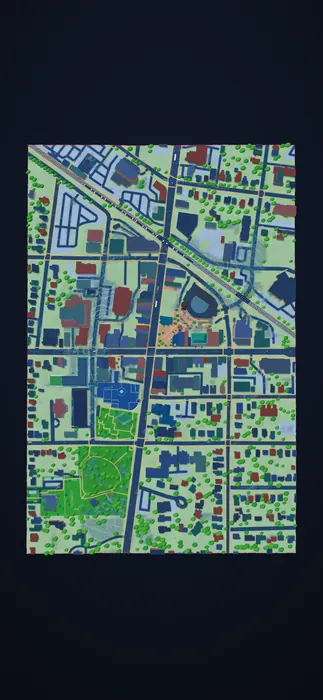
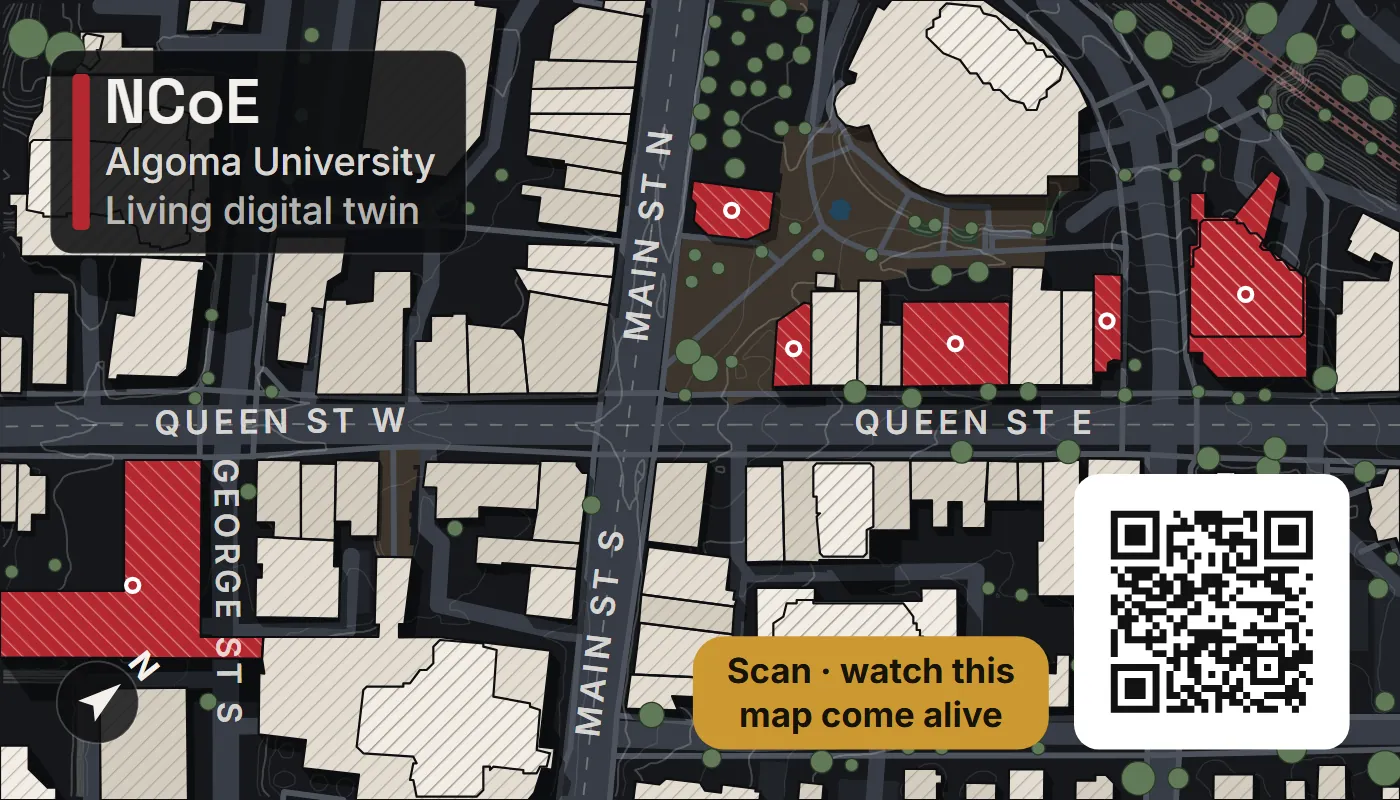
The back of this business card is a map of downtown Brampton. Scan its QR code and the same streets rise as a live 3D city, with wind, rain, crowds, a GO train and a two-minute film. This page follows how it was made in 19 stages over 26 days, using the renders kept along the way: the art directions put side by side, the ones that were chosen, and what changed after each review.

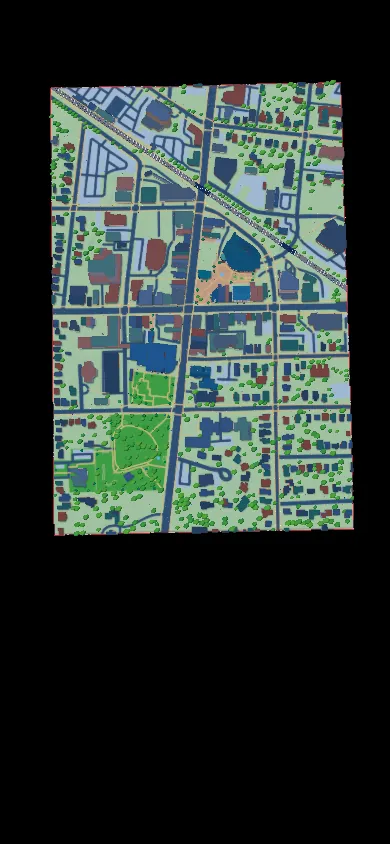
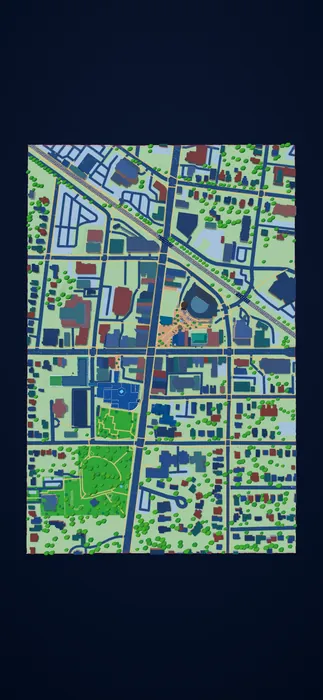
The printed card's map side: downtown Brampton's streets and buildings, the Algoma University sites in red, a QR code and the line 'Scan, watch this map come alive'.

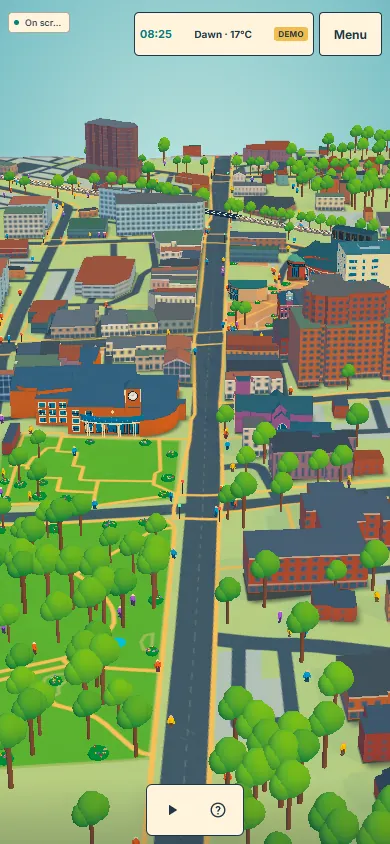
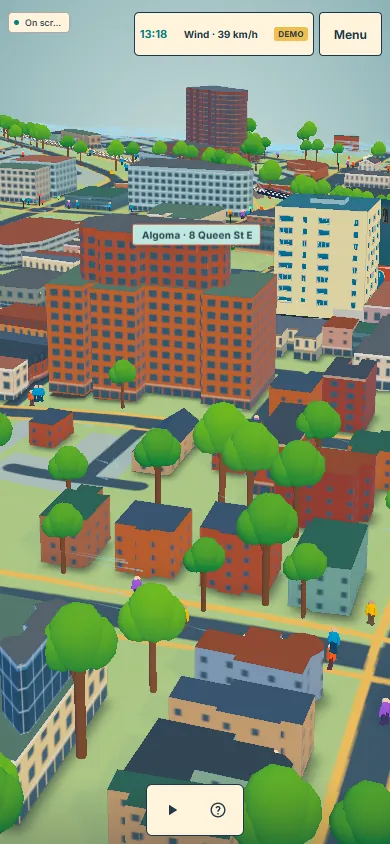
Left: the card's printed map side, which is also the AR target. Right: what the phone shows after the scan.

26
days, 2–27 Oct
436
commits
332
render runs kept
82,525
rendered frames and stills
17
production releases
How to read it Chosen the option that was picked After the improved version faded = tried and set aside → before to after Click a still to enlarge it, then click its sides (or use ← →) to step through that stage.

Render runs per day

One run is one folder of test renders: stills, a turntable or a film rendered frame by frame. Runs from 2–3 Oct were not kept. Hover a day for its commits.

Act I

Finding the look

Four days from a grey model to a vivid, game-like city with real landmarks. The pattern that worked: show options side by side, test a style on one building, then roll it out.

Day 1–2Fri 2 – Sat 3 Oct

A map that comes alive

The starting point: a printed map that turns into a 3D city on the phone.

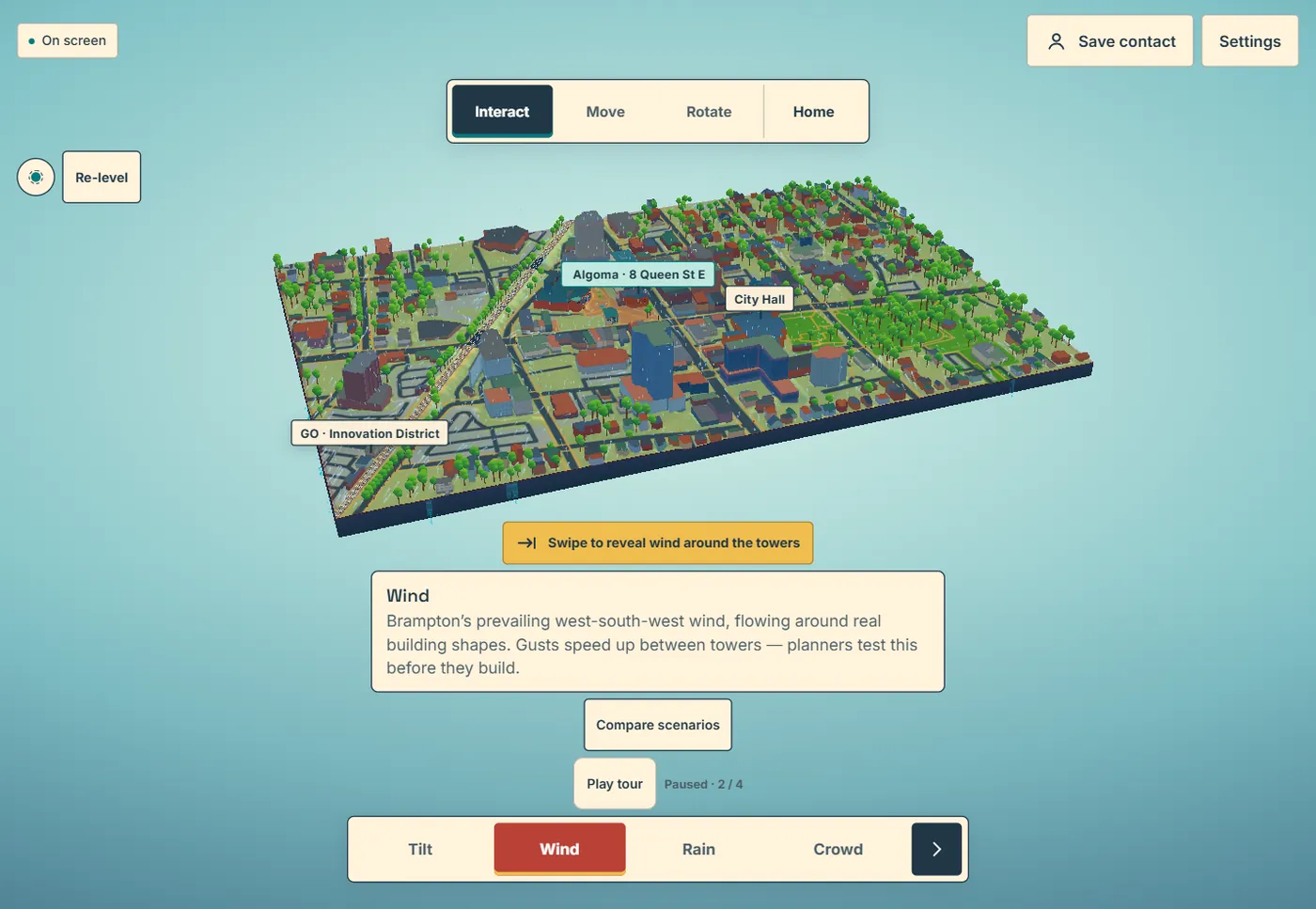
The card's back is a real map of downtown Brampton, built from OpenStreetMap and NRCan's 1 m LiDAR elevation, and it doubles as the AR tracking target. The QR code opens a web app where the same streets rise as a 3D twin with wind, rain and crowd simulations. The model grew to 552 × 840 m around the card's 420 × 240 m frame, and the first phone-test preview went up on 3 Oct.

The first version

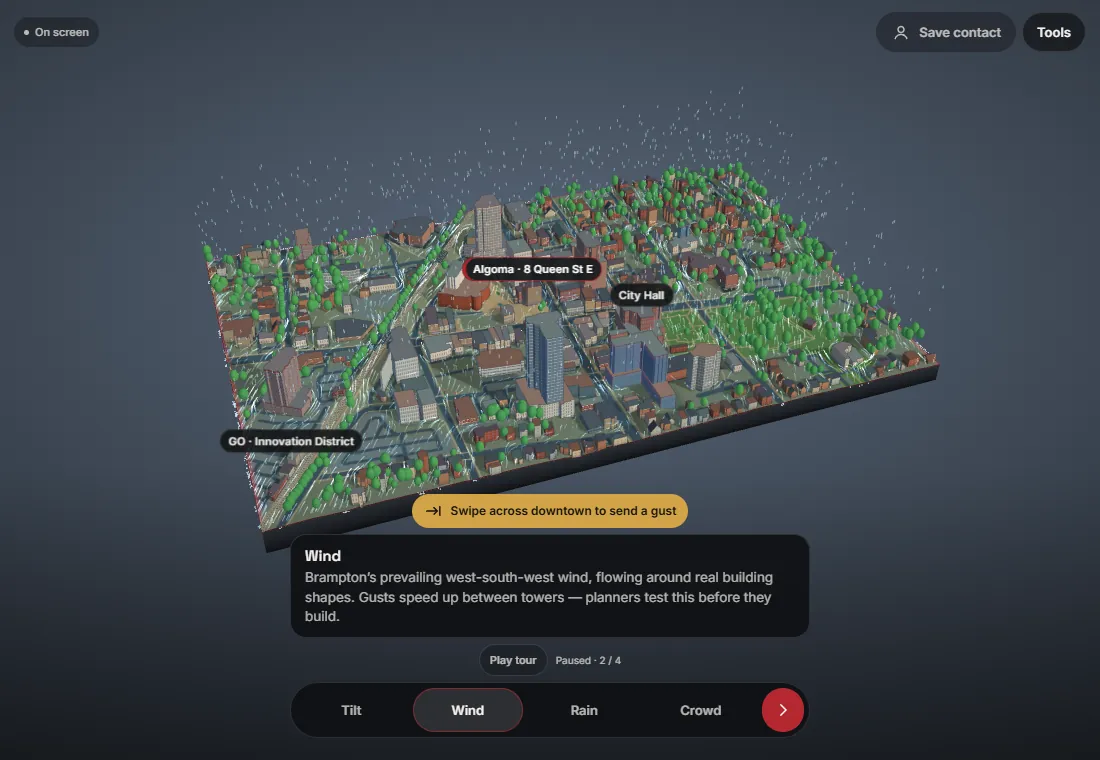
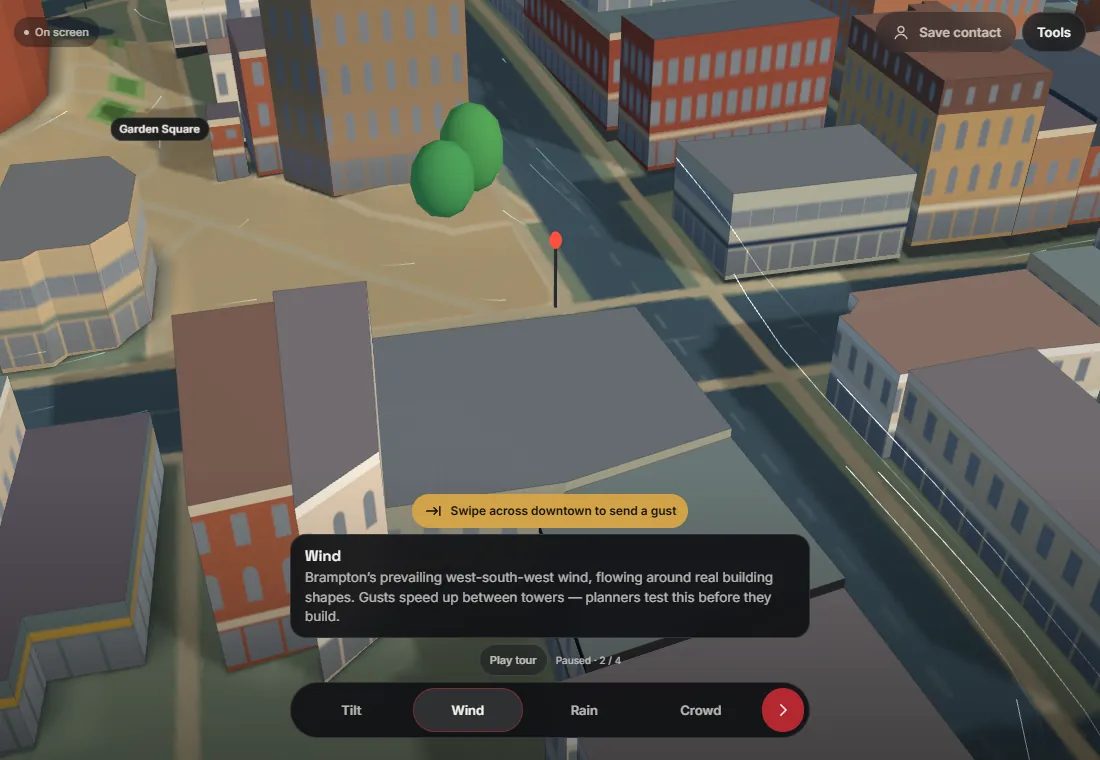
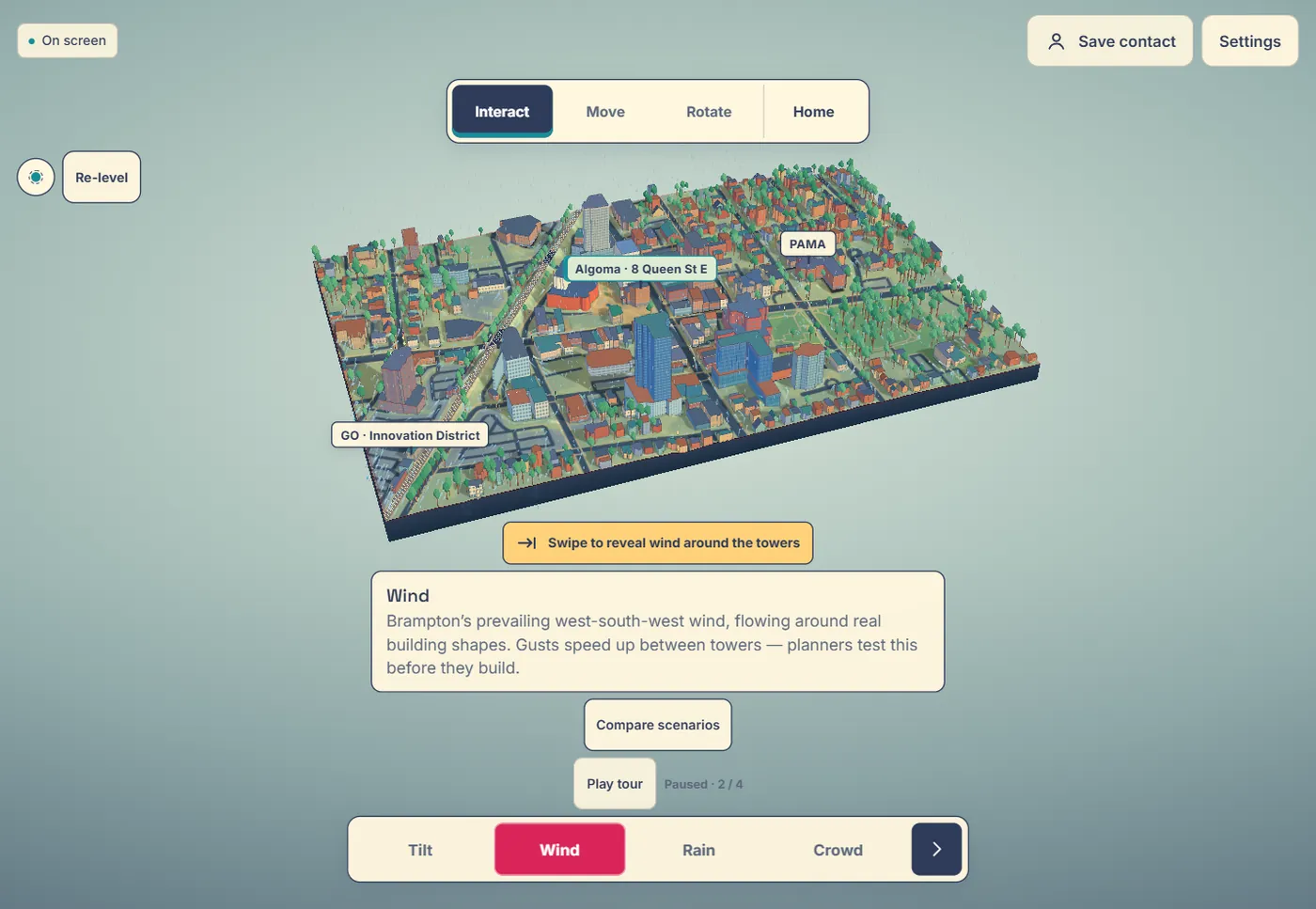
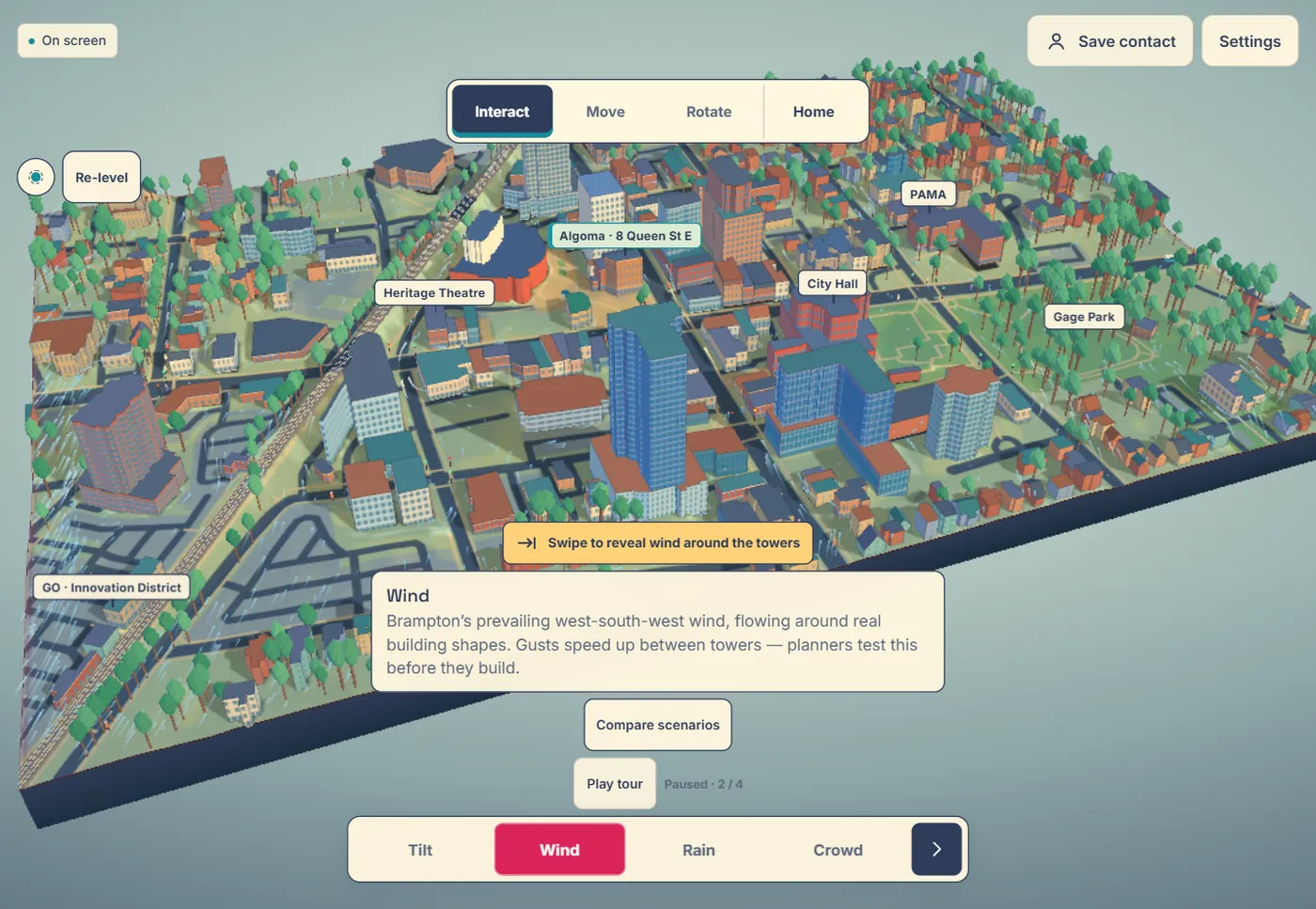
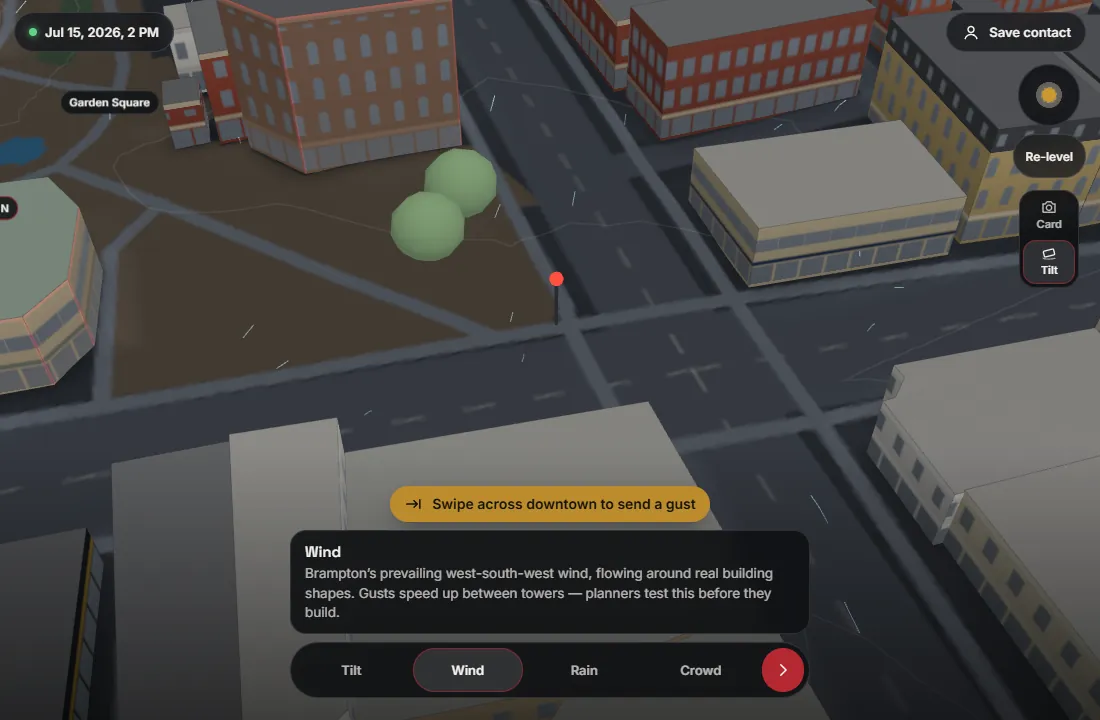
On the phone (left) the city sits small in the middle of the screen under large control panels. Up close (right) the buildings are plain boxes on a flat ground.
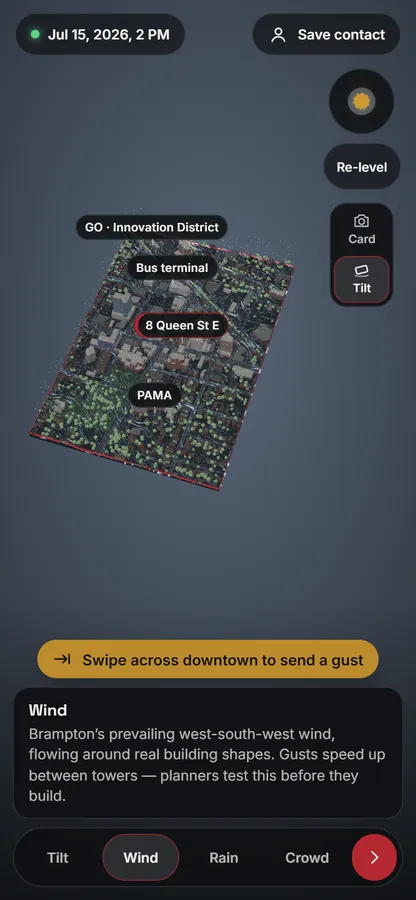
First version on a phone: a small grey 3D city block on a dark screen with large control panels.
On the phone, 3 Oct
First version close up: plain grey and brown boxes along Queen Street with flat roads.
Close up on Queen Street
Review

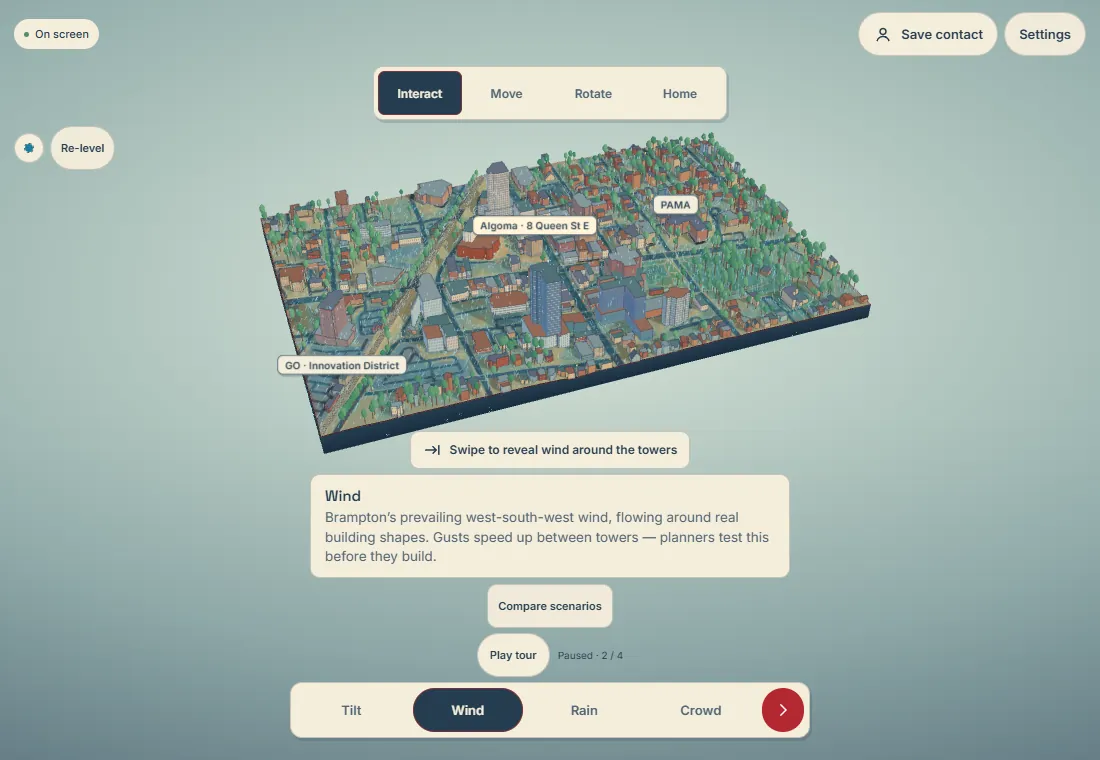
It mostly worked, but it lacked polish, and the city read like a grey, flat map.

Day 3Sun 4 Oct10:07–18:59

Make the 3D unmistakable

Two treatments of the same city in one day.

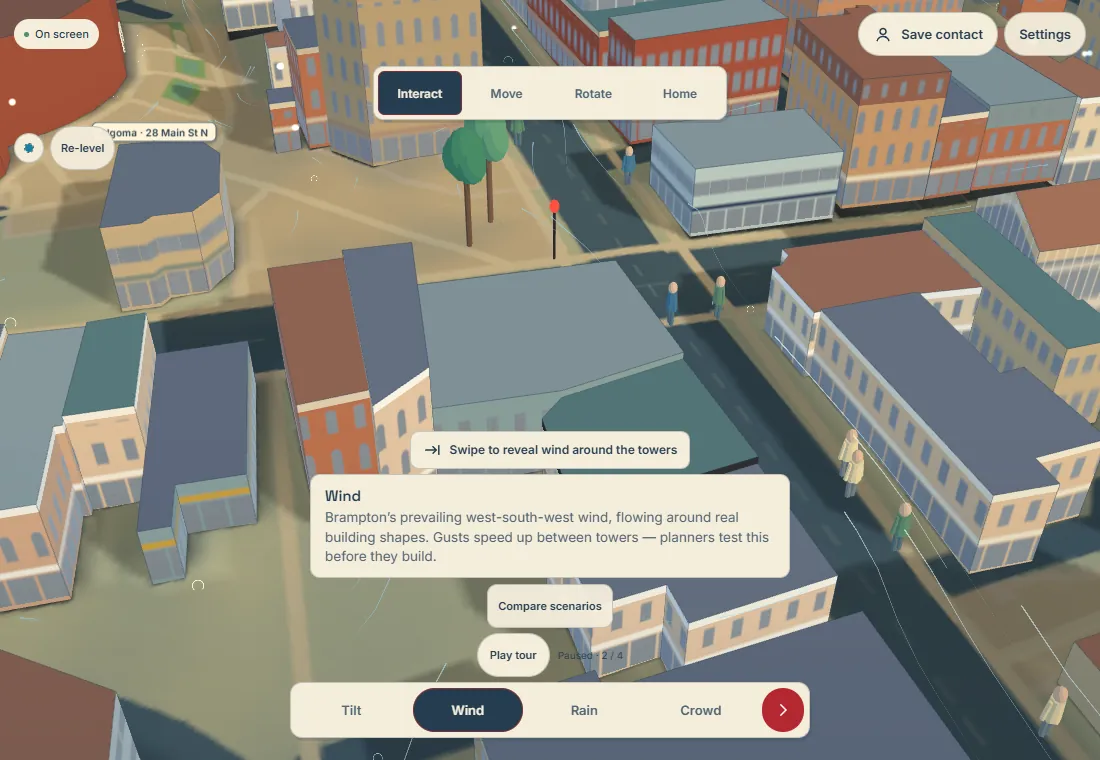
The brief was sharpened: this is a showcase meant to impress, so exaggerated height, colour and light are welcome, and an exact replica is secondary. Brighter light, raised relief, a proper rail line with its train, and panning made the showcase build in the morning. By the afternoon the city had a second treatment, an illustrated miniature with broad cel-shaded bands and crisp silhouettes.

Showcase → illustrated

The first pair shows the whole model, the second a street corner. In the illustrated version, look at the flat colour bands and outlines, and at the dense window grids that later turned out to be too busy on a phone.

Showcase build: the whole model raised on a dark stage, green trees and coloured roofs.
Showcase, morning
Illustrated miniature: the same model on a pale stage with soft colour bands and outlines.
Illustrated, afternoon
Showcase close up of a street corner with tan buildings and round trees.
Showcase, street corner
Illustrated close up of streets with cel-shaded buildings and dense window grids.
Illustrated, street corner
Decision

Keep the illustrated build as the baseline to compare against, and redesign the art style from scratch.

Day 3Sun 4 Oct20:34–21:30

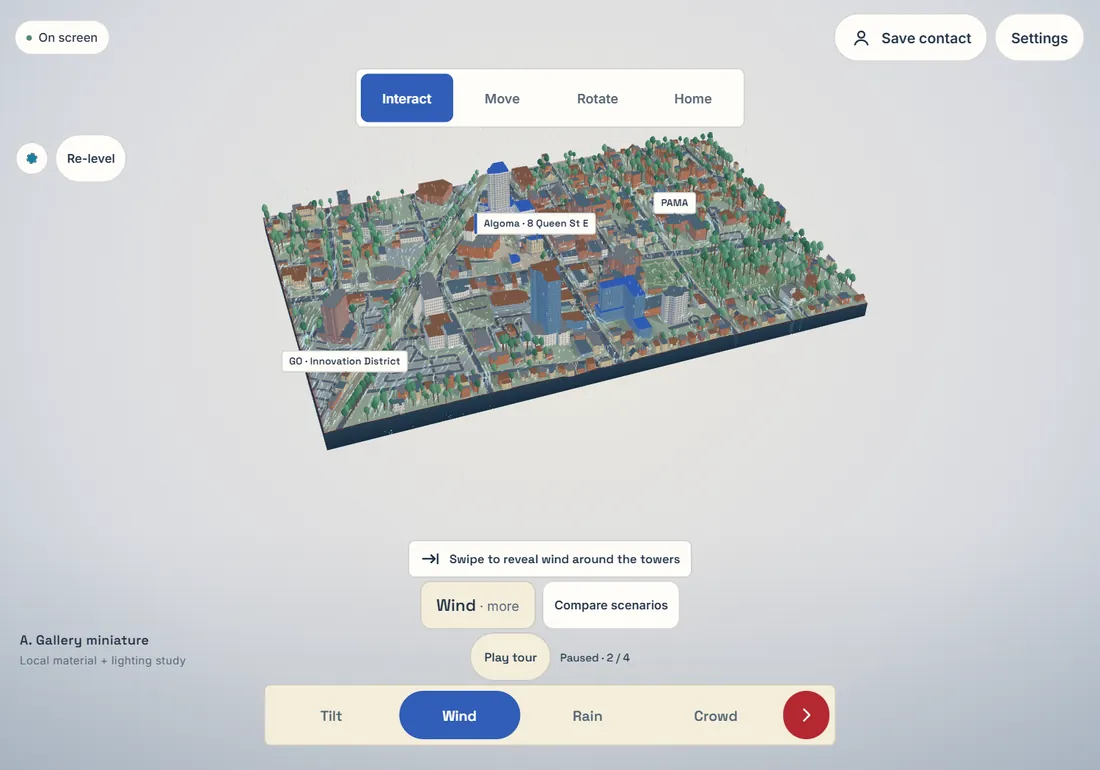
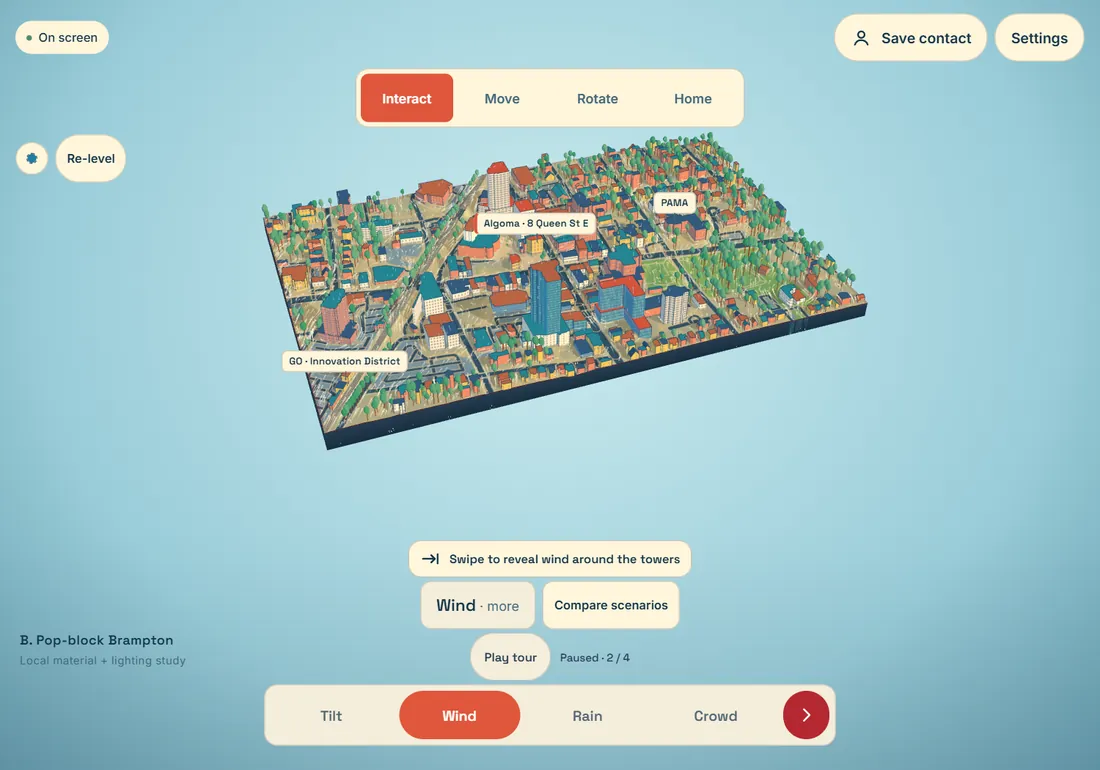
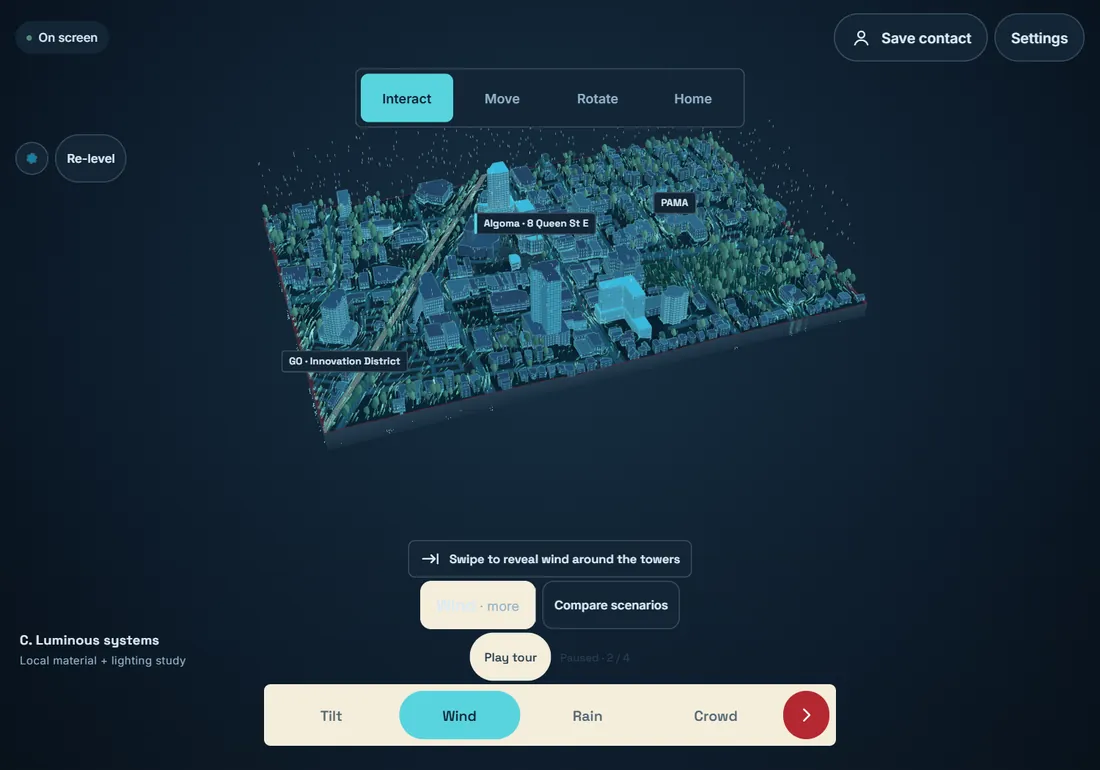
Nine directions in one evening

Two rounds of art directions, all rendered on the real 330-building city. None was picked, and that settled what the look should be.

Round 1Three directions

Only light, palette and interface change here; the buildings are the same in all three.

Direction A, Gallery miniature: pale blue background, quiet terracotta and limestone city.
A · Gallery miniature: terracotta, limestone, smoked glass
Direction B, Pop-block Brampton: coral, cream and teal blocks on a sky blue background.
B · Pop-block Brampton: coral, cream and teal blocks
Direction C, Luminous systems: graphite and blue city on a dark navy background.
C · Luminous systems: graphite and cyan, an instrument feel

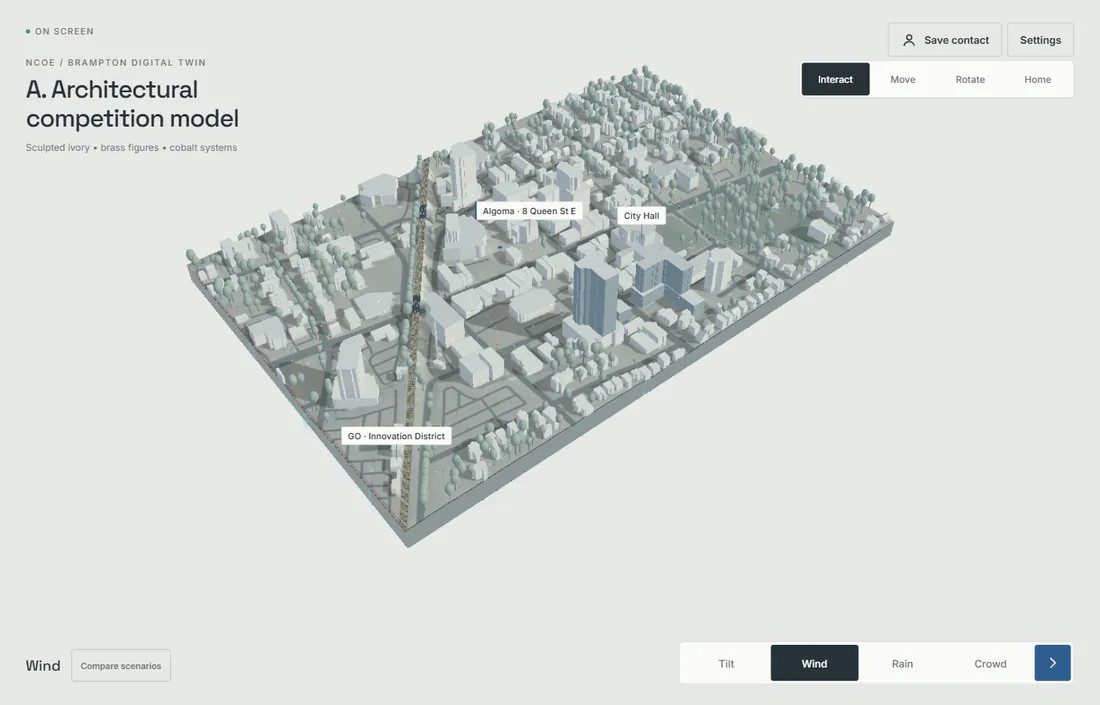
Round 2Six “professional” directions

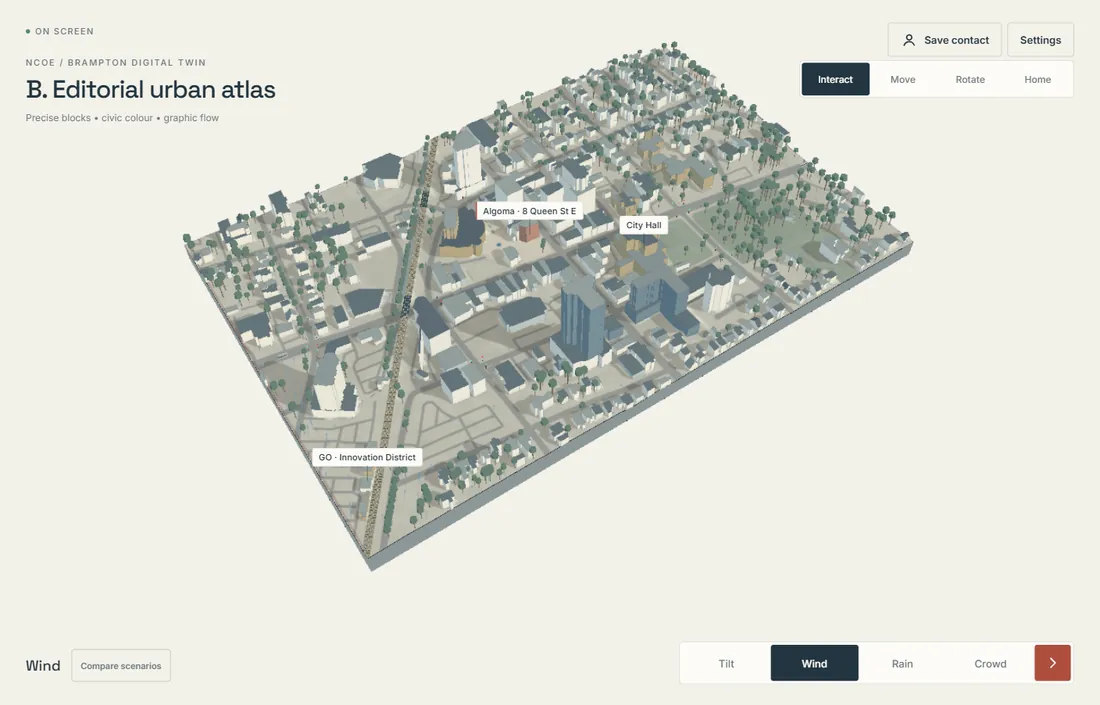
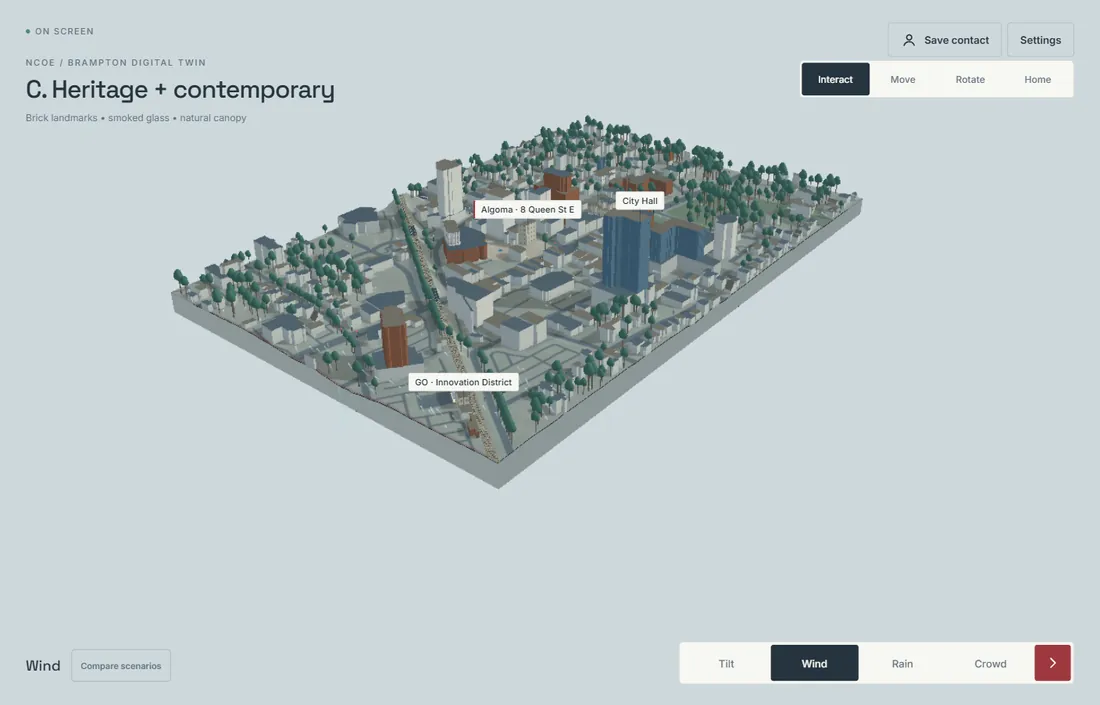
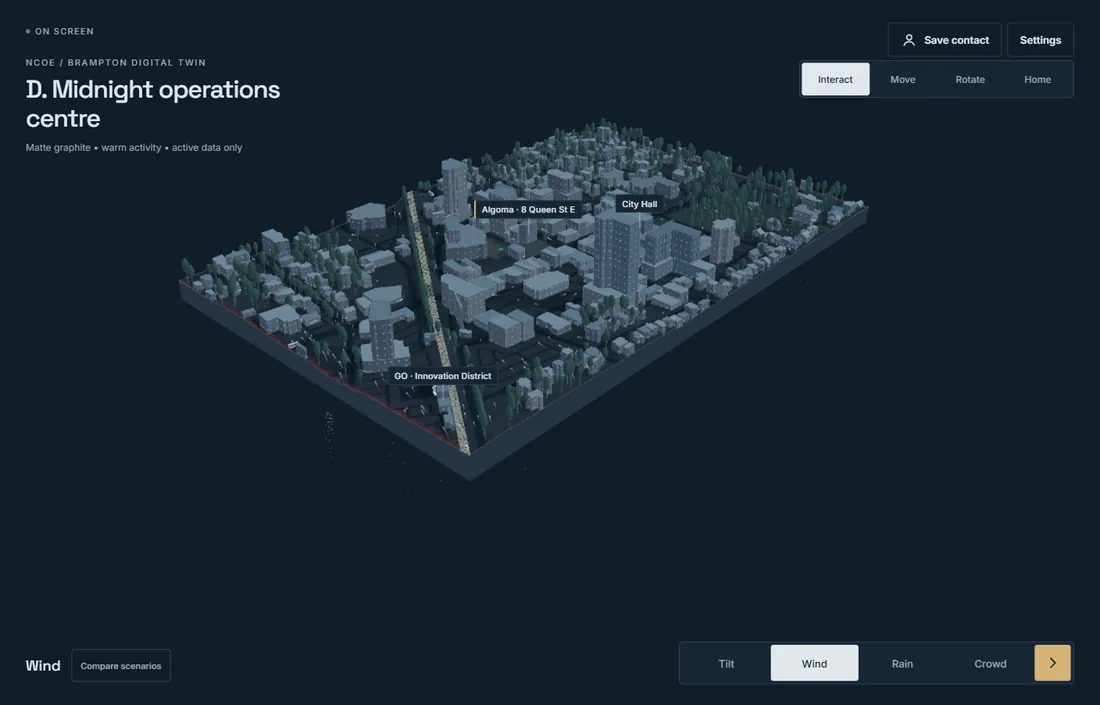
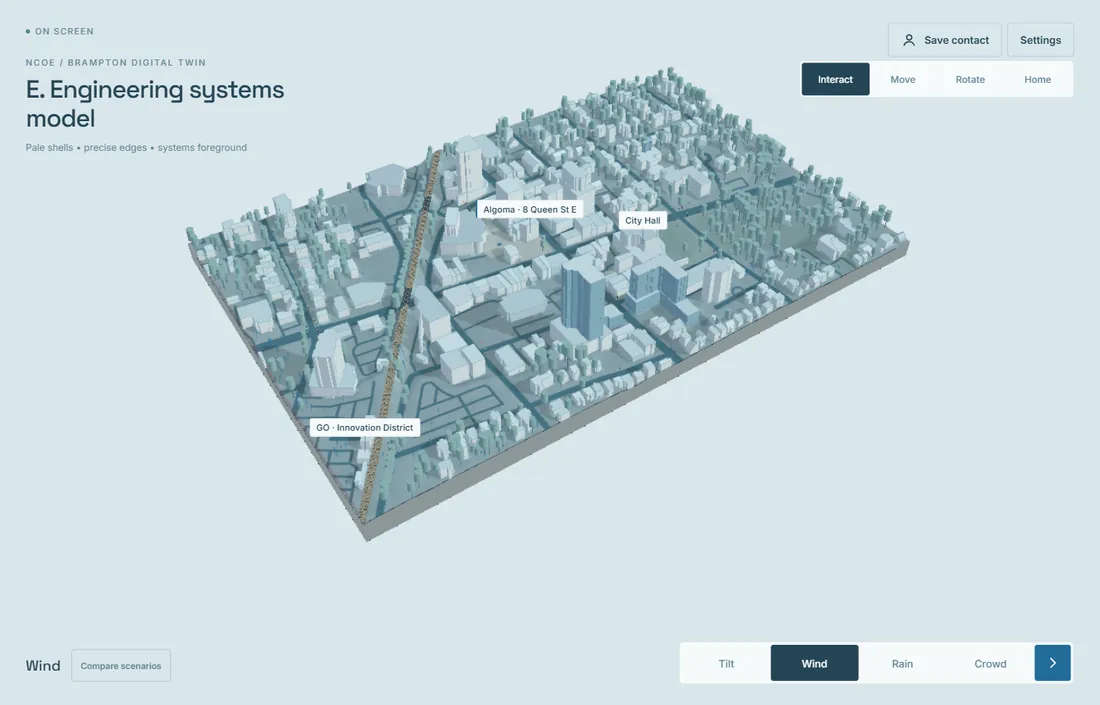
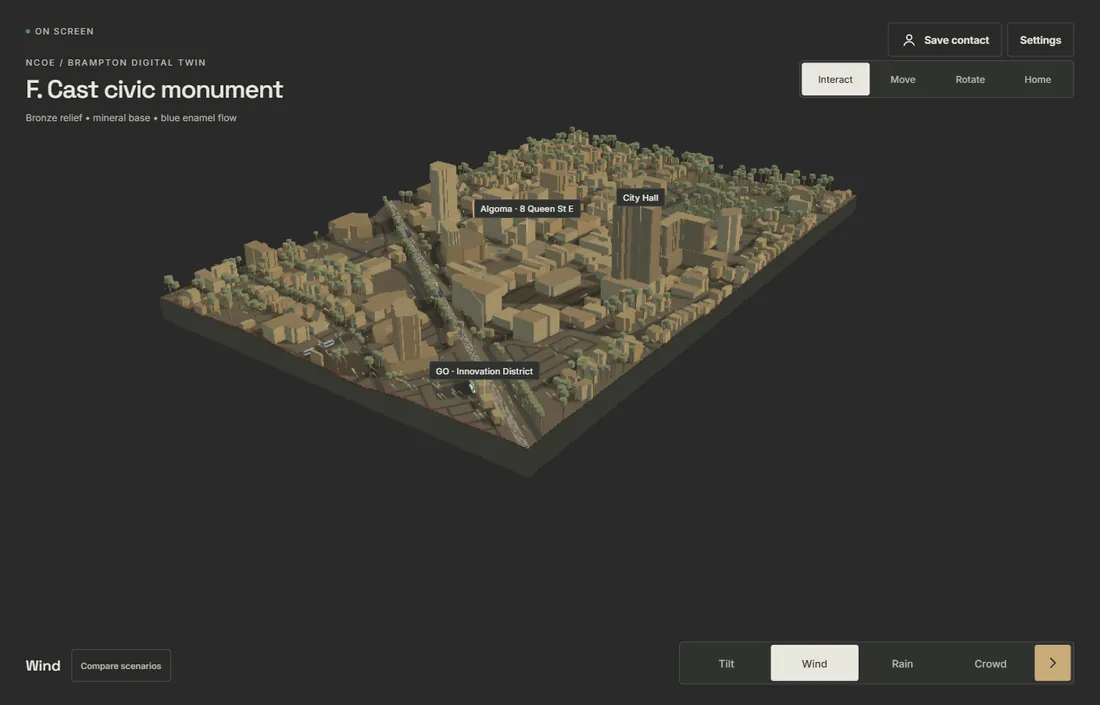
These go further: building hierarchy, facade detail, trees, framing and interface all change, from an architect's white model to a bronze monument.

Direction A: Architectural competition model, an all-white massing model on a pale page.
A · Architectural competition model
Direction B: Editorial urban atlas, a pale grey model with printed-atlas styling.
B · Editorial urban atlas
Direction C: Heritage and contemporary, grey model with a few coloured heritage buildings.
C · Heritage + contemporary
Direction D: Midnight operations centre, a dark blue city on a dark background.
D · Midnight operations centre
Direction E: Engineering systems model, pale blue technical model.
E · Engineering systems model
Direction F: Cast civic monument, a bronze-coloured city on black.
F · Cast civic monument
Review

None of the nine. My expectation is more like phone game, 2D cartoon style rendered from 3D.

Lesson

“Professional” had been read as architectural restraint. It meant polished, coherent game art.

Day 3Sun 4 Oct22:08–23:42

One building first

Instead of another whole-city set, the new language was tried on a single building, approved, then rolled out the same night.

Step 1The Rose Theatre as a game-art test

Built from the theatre's real footprint, with exaggerated heights and a designed marquee, glazing and roof glass. The turntable shows it from every side.

ApprovedRose Theatre turntable
Review

This is the right direction. Extend it across the city, with 4–8 landmarks that match their real buildings, in vivid colour.

Step 2The same style across the city

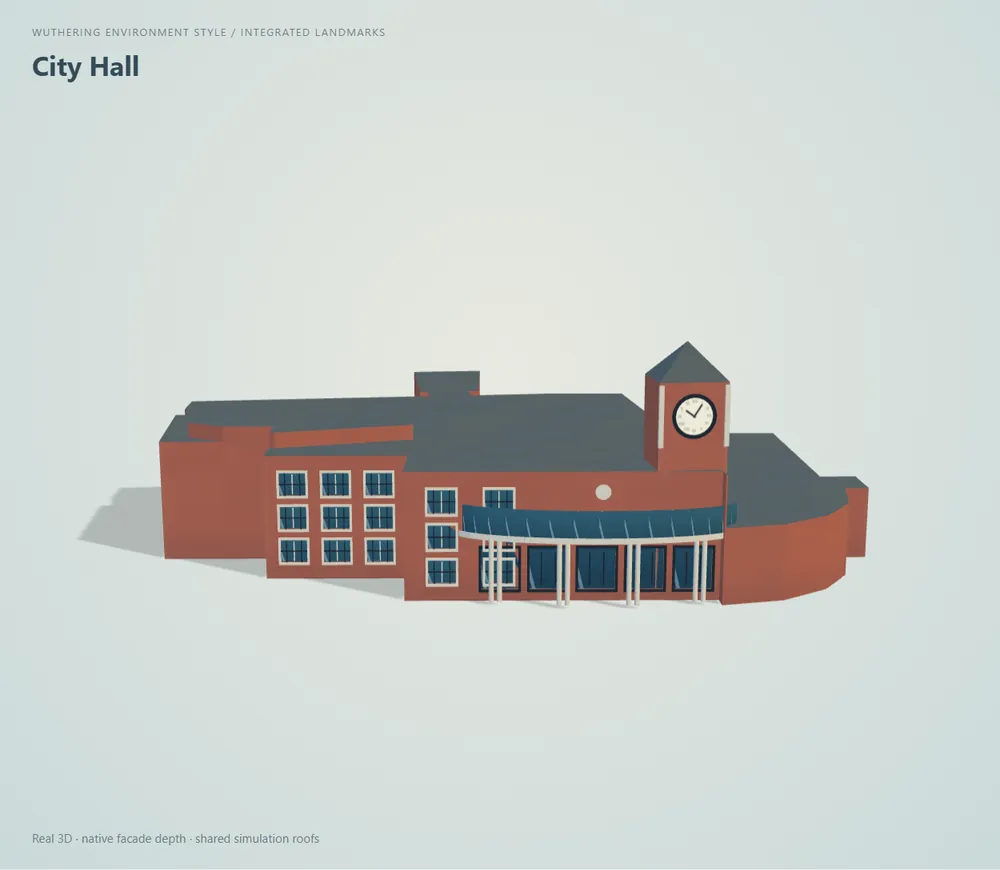
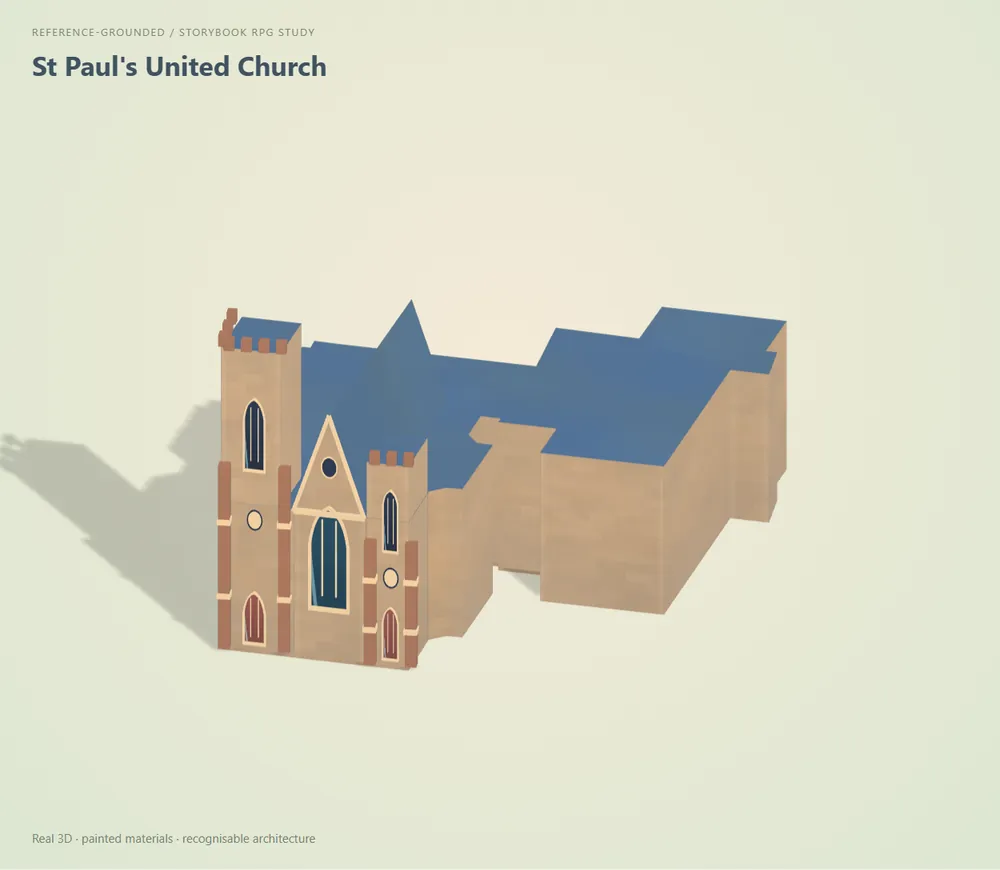
Every building in the new language; six landmarks get colours of their own: the Rose Theatre, City Hall, St Paul's United Church and three Algoma University buildings.

Game-style city: bright coral, blue and cream buildings with dark blue roofs on a pale stage.
Whole city, 23:42
Closer view of the game-style city with chunky trees and coloured landmark buildings.
Closer, landmarks in colour

Day 4Mon 5 Oct07:52–17:48

Storybook RPG, then Wuthering Waves

The landmarks were made to look like the real buildings, and the whole city got more colour.

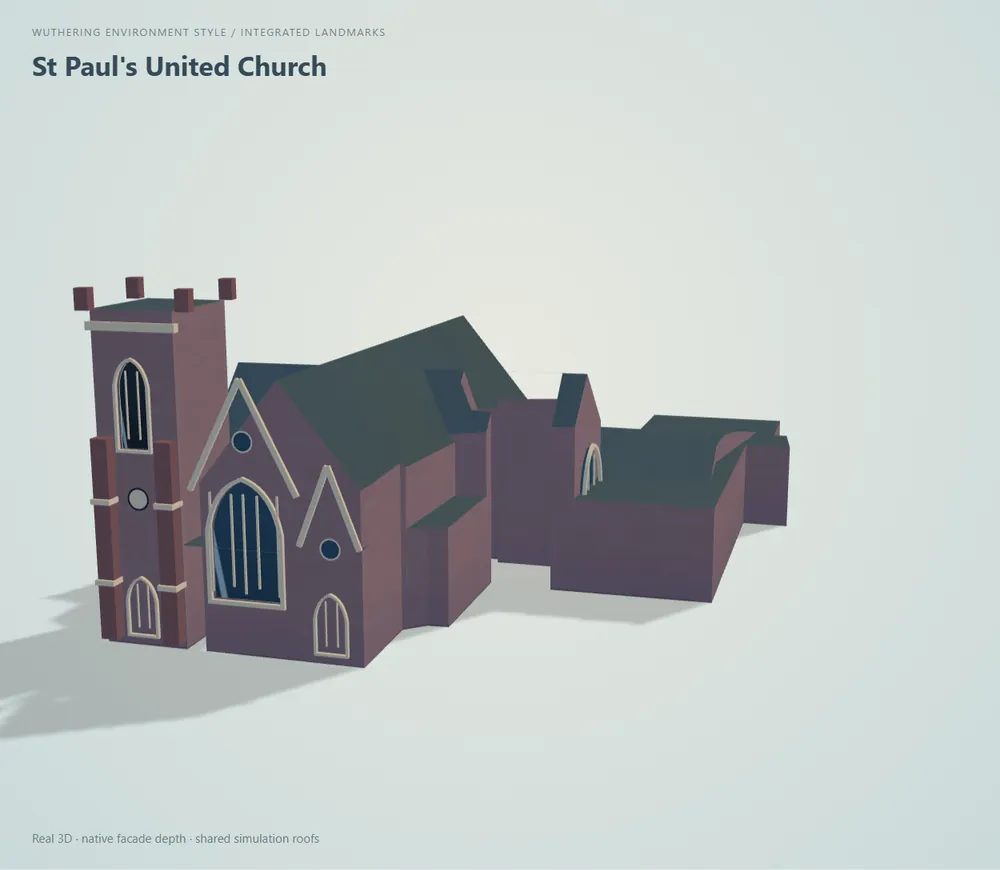
The morning pass borrowed from painted storybook phone RPGs. The landmarks still did not look enough like the real buildings, so the next trial followed the environment art of Wuthering Waves and used many more reference photos, from the front, the side and the air. It started, again, with one building.

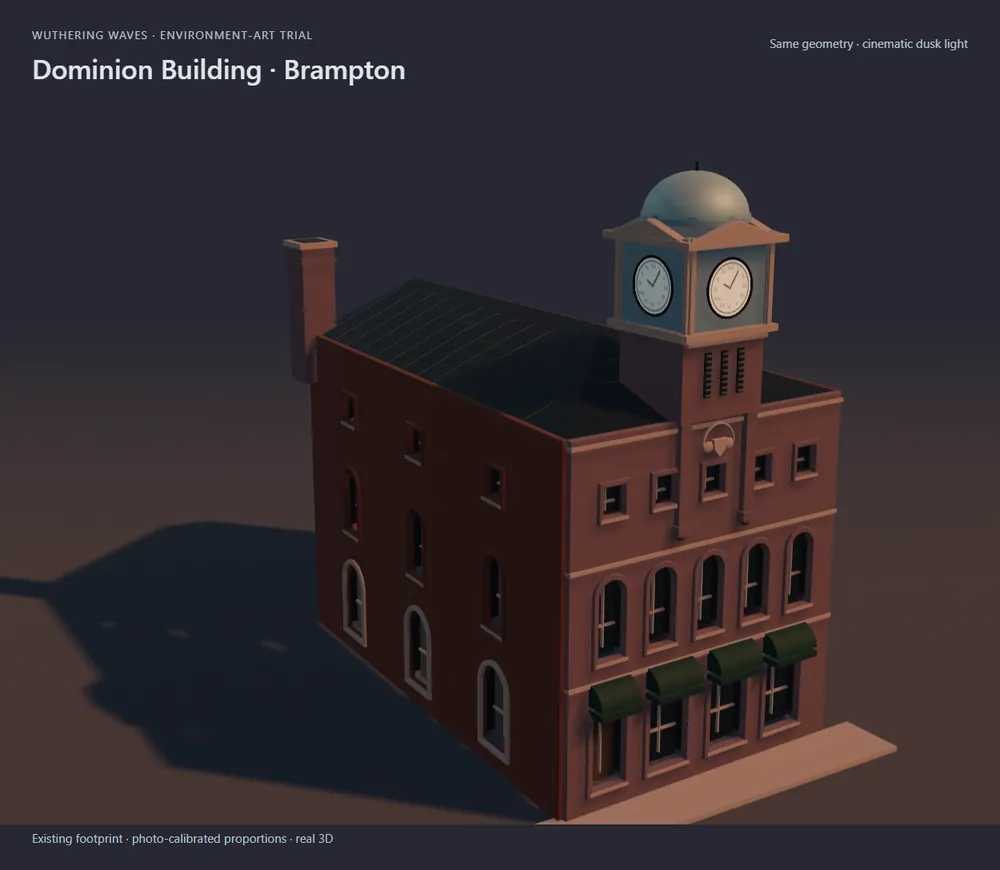
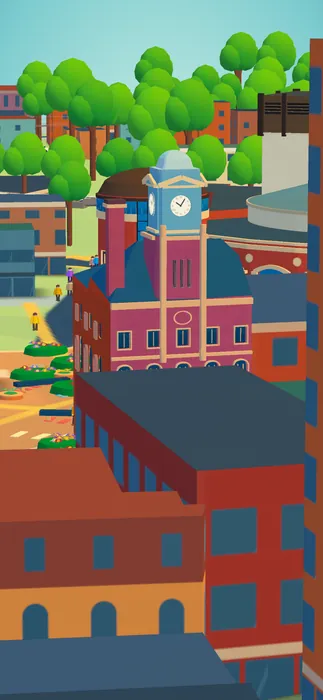
Step 1One building: the Dominion Building, 8 Queen St E

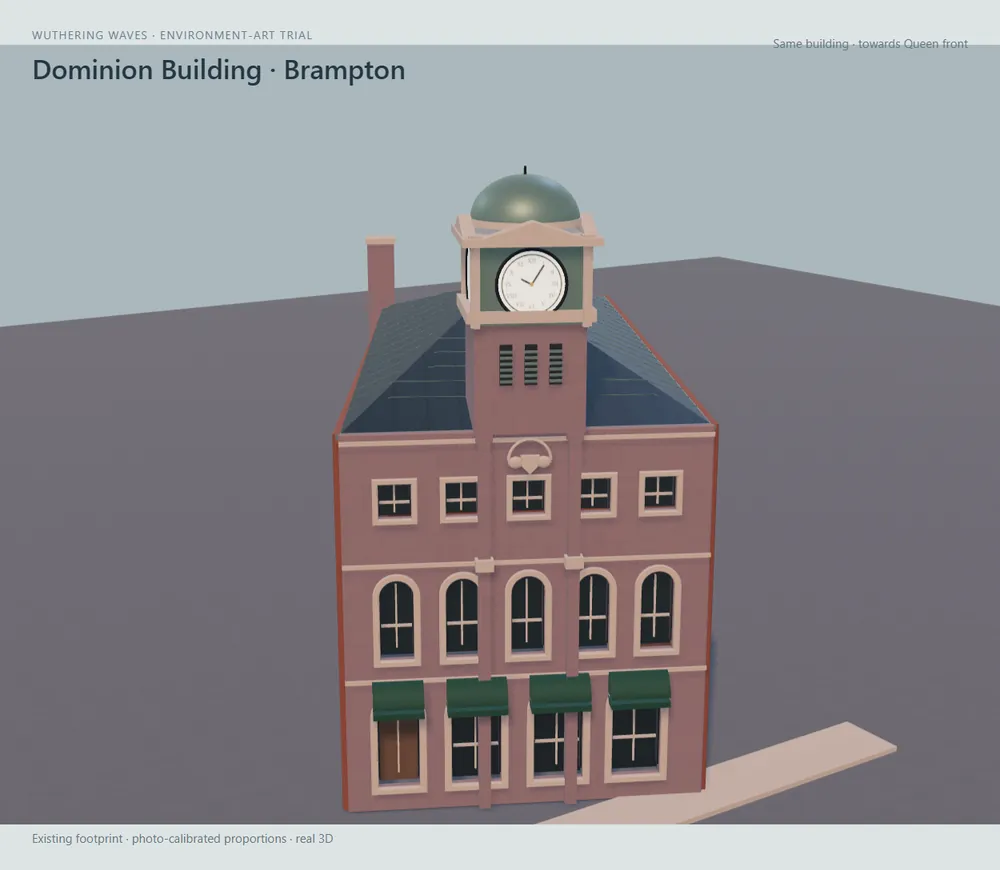
The photos showed the earlier corner-clock version was wrong: the clock tower is a centred shaft facing Queen Street, over five arches and a brick front. First trial left, checked version at dusk right.

Dominion Building, first Wuthering trial in daylight.
First trial
Dominion Building, verified version at dusk: brick facade, arches and clock shaft.
AfterChecked, at dusk

Step 2The other landmarks, storybook → Wuthering

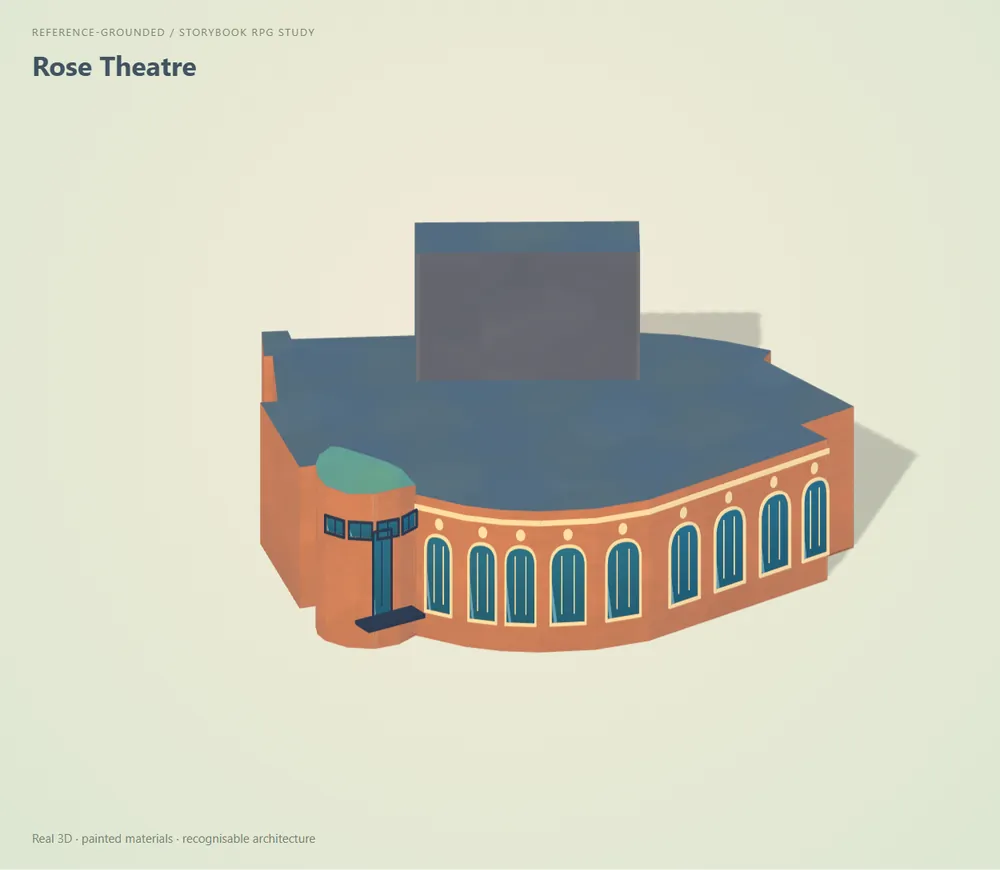
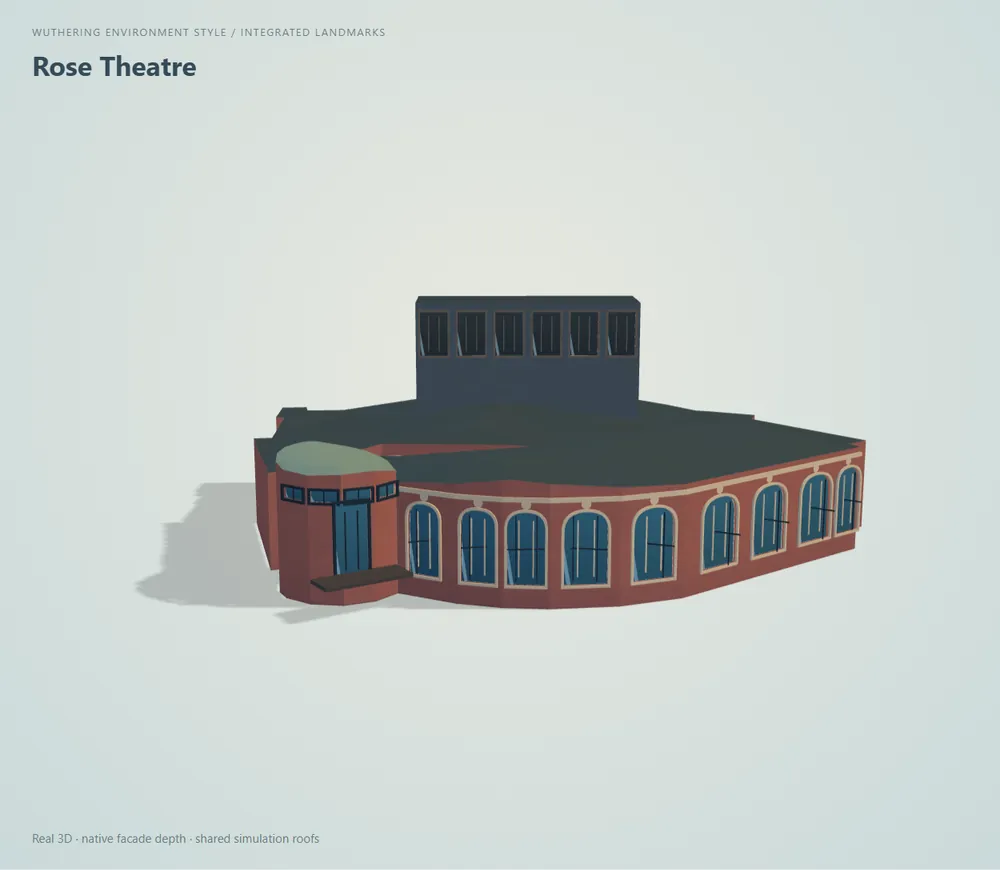
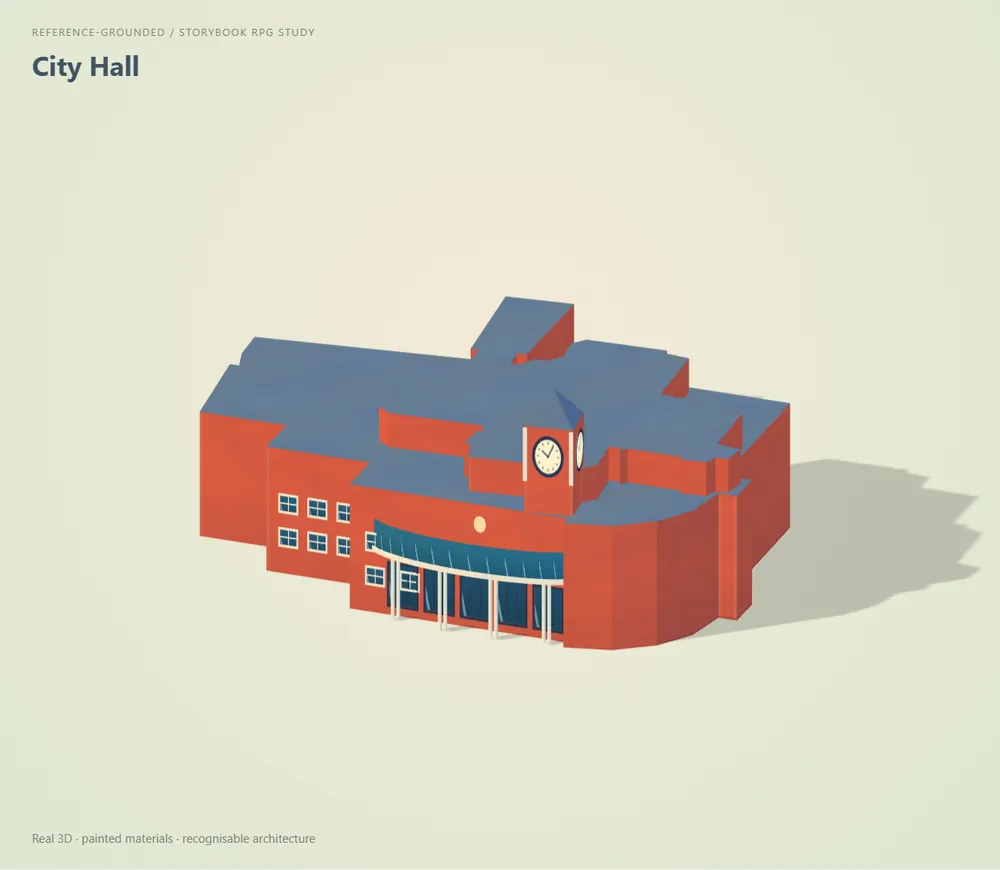
Same building, before and after the photo check. Look at the proportions: the Rose Theatre's tall arched glazing and stage tower, City Hall's clock tower, St Paul's square tower and slate roof.

Rose Theatre, storybook pass: orange brick drum with blue roof.
Rose Theatre, storybook
Rose Theatre, Wuthering pass: darker brick, tall arched glazing and a dominant stage tower.
AfterWuthering
City Hall, storybook pass: red block with a small clock.
City Hall, storybook
City Hall, Wuthering pass: brick body with a clock tower and cream trim.
AfterWuthering
St Paul's United Church, storybook pass: tan stone with blue roofs.
St Paul's, storybook
St Paul's, Wuthering pass: dark stone church with a square tower and slate roof.
AfterWuthering
Decision

Wuthering approved for the whole city. Then: I want more vivid color for everything, and the rest is okay.

Step 3The vivid city, published that evening

Stronger greens, coral and blue roofs, brighter clothes and cars, with each landmark's material colours kept.

Vivid Wuthering city: saturated greens, coral and blue roofs on a teal background.
PublishedWhole city, 17:36
Vivid city close up with people, trees and a Crowd Flow panel.
People and trees
Open the build:Wuthering · 5 Oct ↗
Act II

From a demo to a film

The city learns to run on its own, then the camera learns to tell a story. Several plans were built, reviewed and dropped on the way to the film that shipped.

Day 4–5Mon 5 – Tue 6 Oct

A day in the life of the city

Instead of buttons for wind, rain and crowds, the city plays a whole day by itself.

Three control modes and the tutorial text gave way to a self-running guided day. On 6 Oct it became one continuous 24-hour story, and Brampton's nickname, the Flower City, added flower beds across its parks and plazas.

The day in seven frames

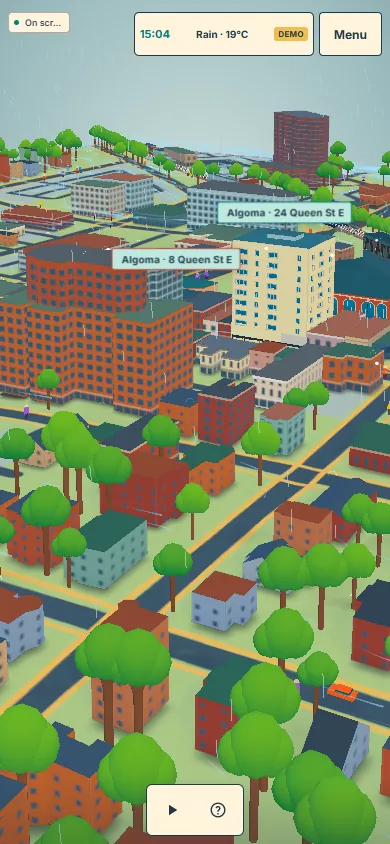
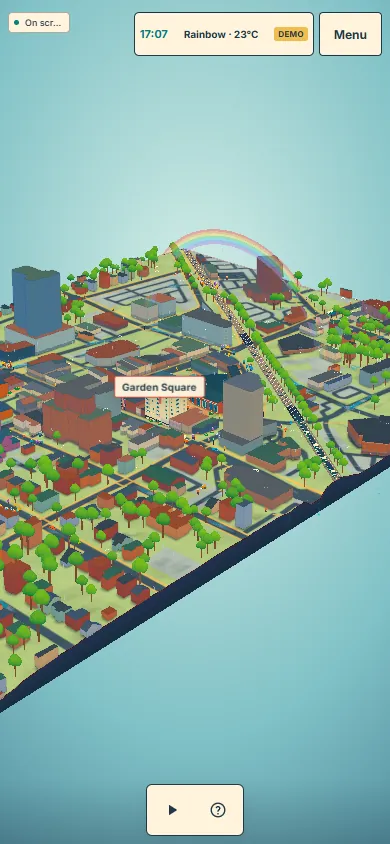
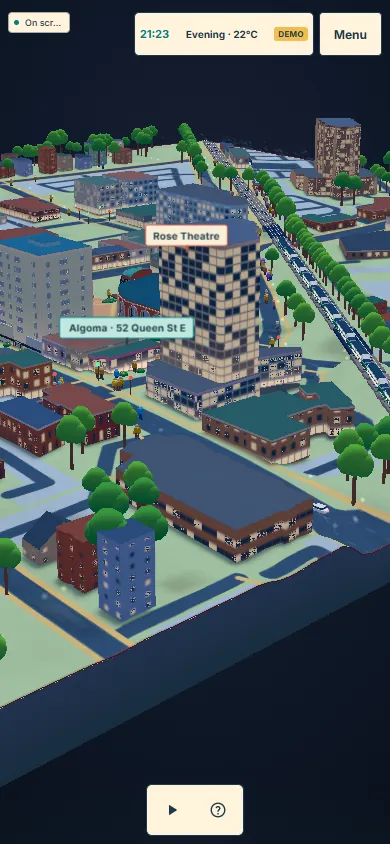
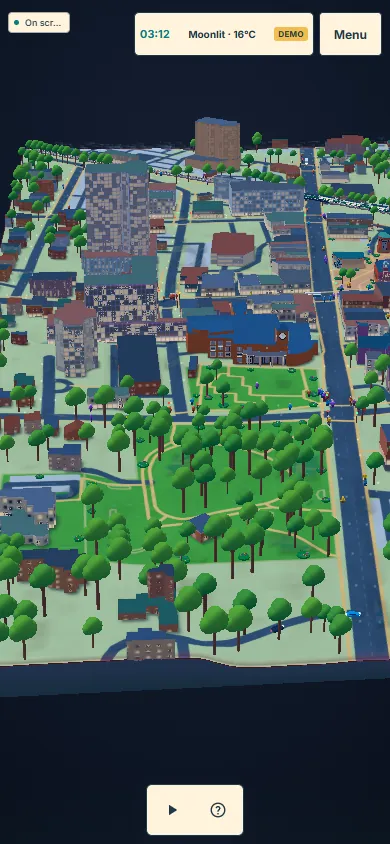
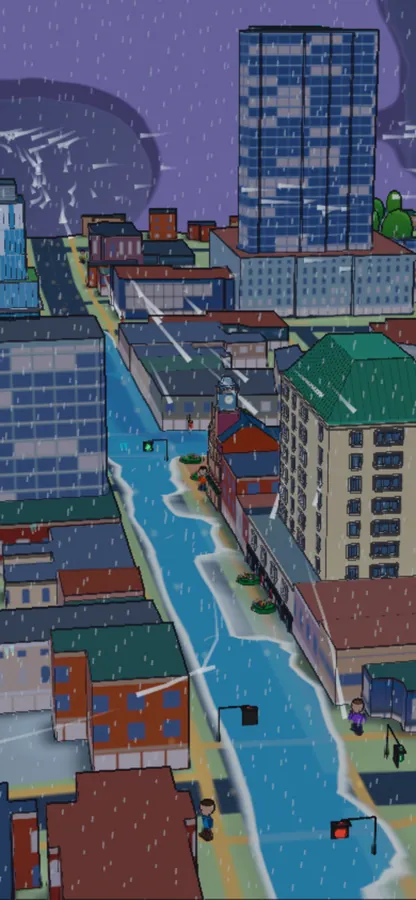
Read left to right. It opens as a flat map for three seconds and tilts up into 3D. Wind arrives and people shelter, rain runs off the roofs into the streets, the sky clears to a rainbow, a crowd gathers for the evening event, and night falls.

Top-down map view of the city on a black phone screen.
1 map
The camera tilts down to reveal 3D buildings and trees.
2 3D reveal
Wind warning over the Algoma buildings.
3 wind
Rain running off roofs into the streets.
4 rain, runoff
A rainbow over Garden Square after the rain.
5 rainbow
Evening crowd gathering near the Rose Theatre.
6 evening
Night city with parks lit before dawn.
7 night
Review

The camera drifted and turned like a robot. It should move with purpose and tell the day as a story.

Open the build:City Day · 6 Oct ↗
Day 5Tue 6 Oct15:50–20:20

Like a movie director

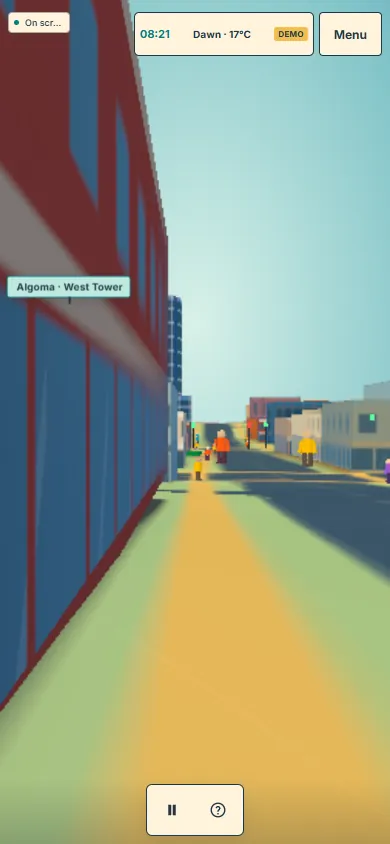
The camera should behave like a director telling a real story, in a live film of about three minutes.

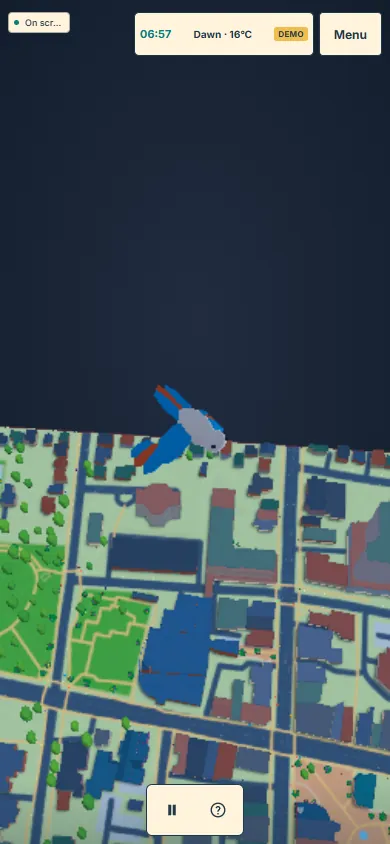
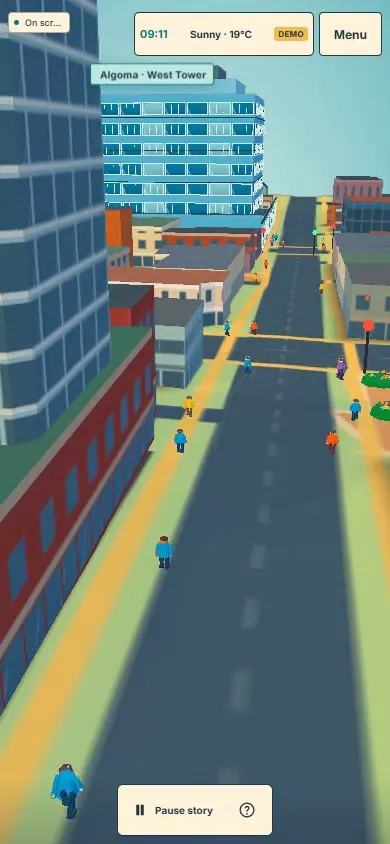
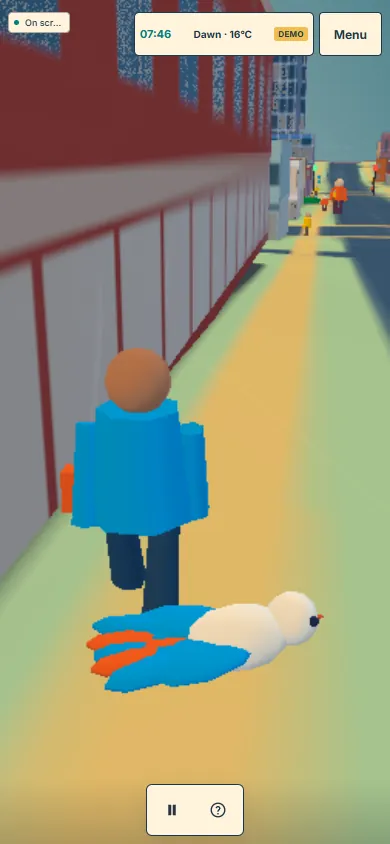
Every camera hand-off had to come from a character's action. A 30-second prototype came first: a bird descends from the map and lands, the camera hands over to a walker, drops to eye level in the street, then rises to reveal the Dominion Building's clock.

The 30-second prototype

The clip plays the whole opening. The stills are its three hand-offs: the bird in flight, the bird landing beside the walker, and the eye-level street.

The opening, 6 Oct
A large blue bird flying over the city map.
1 the bird
The bird landing at a walker's feet, both drawn large and close.
2 hand-off
Eye-level view down a street beside a tall building.
3 eye level
Review

Overall okay, but the bird looks odd; a spinning, falling flower would be better. Close-up people looked inconsistent in size.

Day 5–6Tue 6 – Wed 7 Oct

A day in Flower City

The first full film, then a second build with the camera lifted higher.

The agreed screenplay became a 180-second live film: a blossom drifts down into a flowerbed, a walker's journey to campus, wind and rain over the roofs, a rainbow and Garden Square, then a car through the lit evening streets and a crane up to the whole city.

Build 1The film, close to the action

The blossom lands in a flowerbed and the walker sets off. Watch how close the camera gets to the people.

Flower City, first minute
Review

Close shots expose the model: people walk into facades without doors, and figures and cars look crude up close. Stay 20–30 m above the street and let blocks, roofs, landmarks, weather and traffic carry the film.

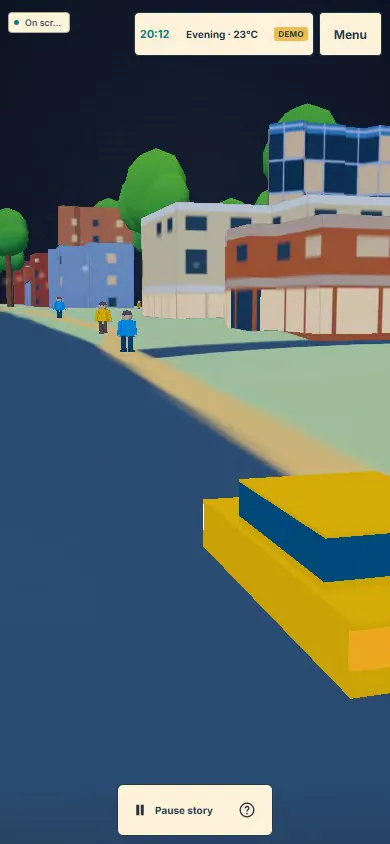
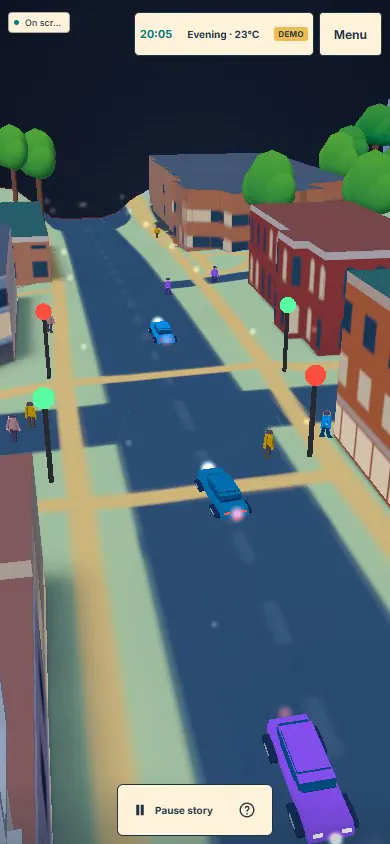
Build 2Close shot → 20–30 m up

The same moments in the two builds. Left of each arrow, the close shot; right, the elevated build, where neighbouring buildings and the street flow fill the frame instead of one figure.

Close shot of a blocky walker filling the screen.
The walker, close
The same street seen from about 25 metres up, people small below.
After20–30 m up
Close shot of a yellow car cut off by the frame.
The evening car, close
Elevated view of the evening street with cars and lamps.
AfterElevated

Day 6Wed 7 Oct14:24–21:20

Matching the real buildings

Three accuracy passes measured each landmark against the 2023 LiDAR survey and camera-matched photos, then rebuilt what was off.

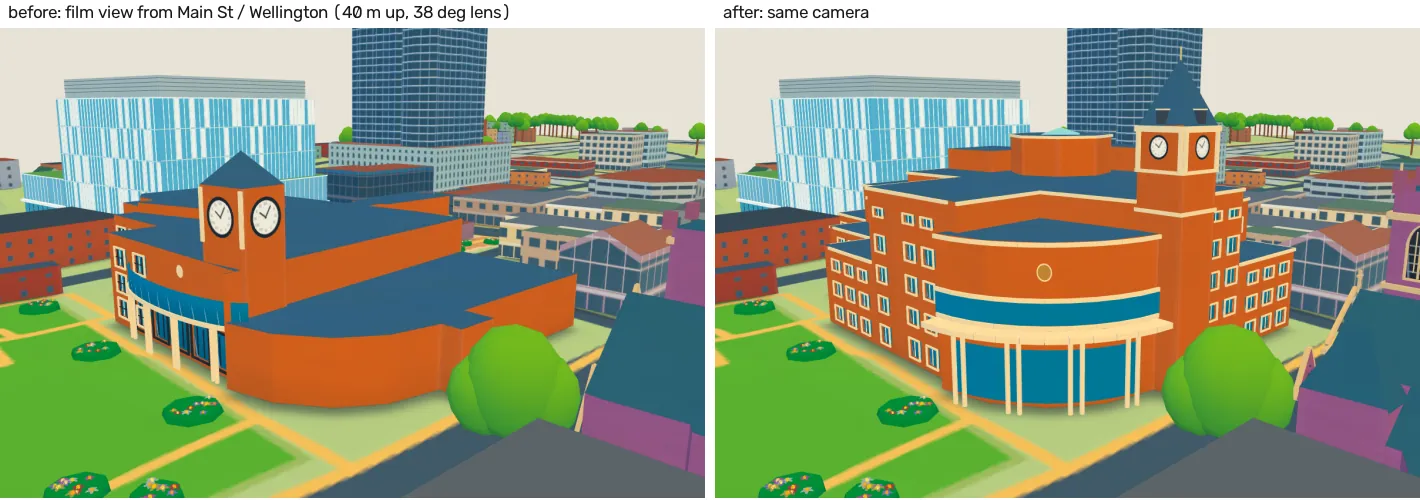
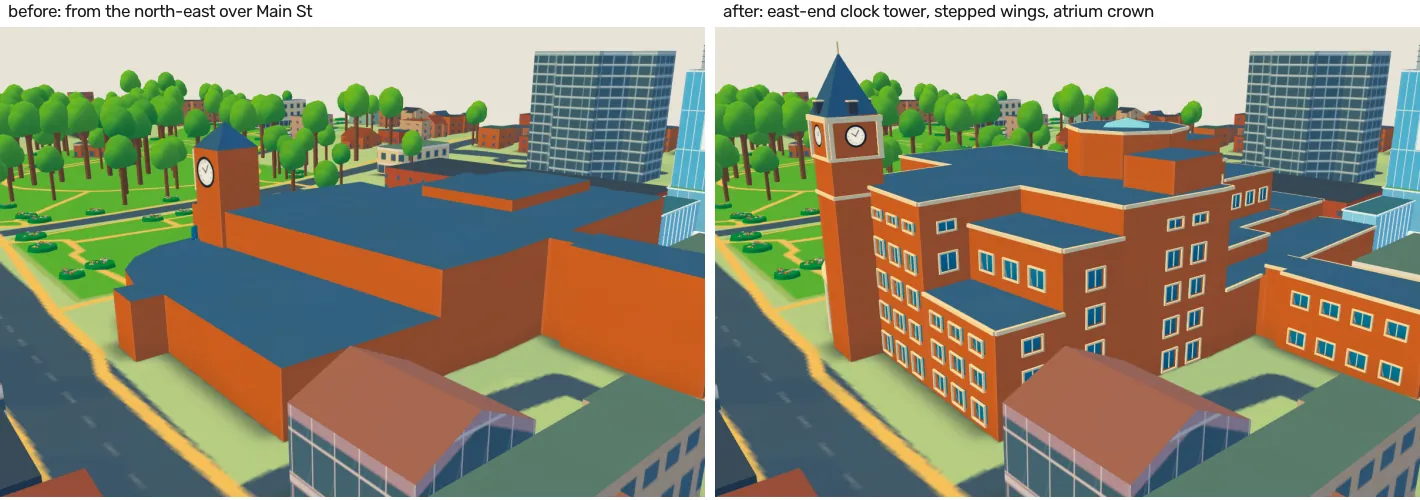
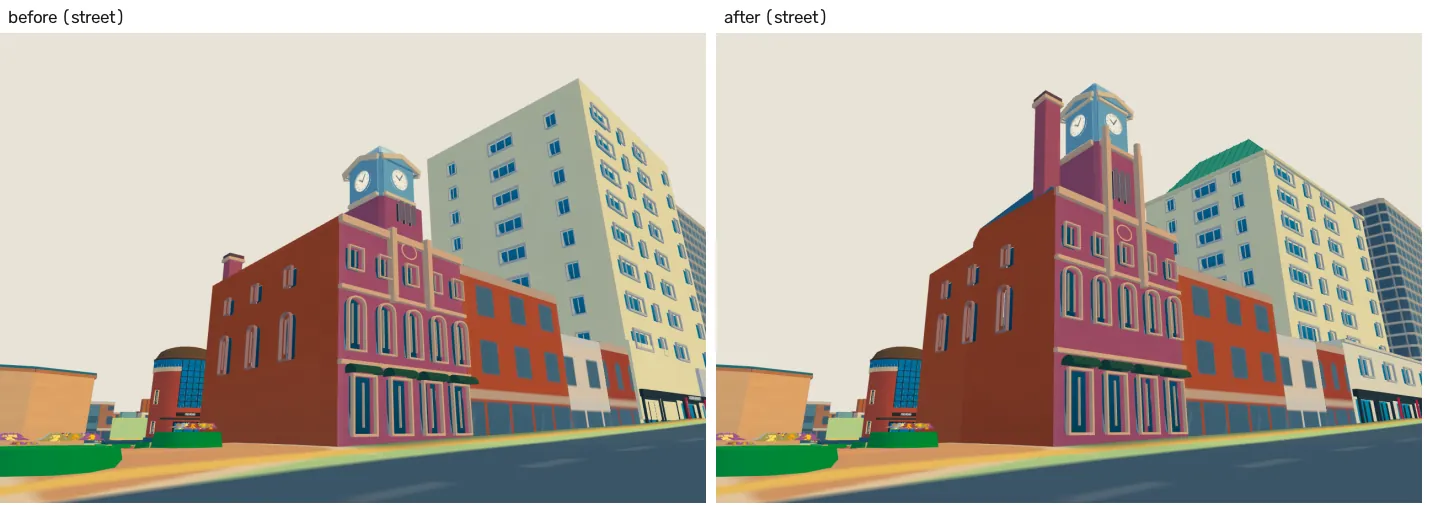
Before | after, same camera

Each image puts the old model on the left and the rebuilt one on the right. City Hall, renovated in 2015, gains its east-end clock tower, stepped wings and octagonal atrium crown. The Dominion Building gets a taller clock stage and its chimney where a 2008 photo shows it.

City Hall before and after from the film camera: flat orange block on the left, stepped brick building with clock tower and rounded atrium on the right.
City Hall, film view
City Hall before and after from the north-east: a plain mass becomes a brick building with a tall clock tower.
City Hall, from the north-east
Dominion Building street view before and after: the clock shaft becomes taller and slimmer.
Dominion Building, street view

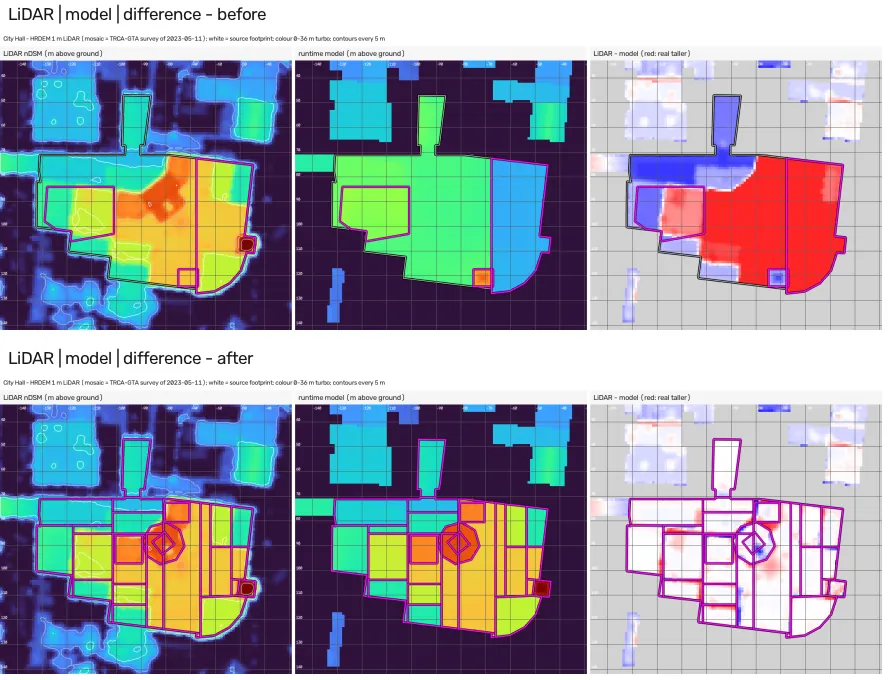
Measured against LiDAR

For City Hall: the survey's heights, the model's heights and their difference, before (top) and after (bottom). Red means the real building is taller than the model; after the rebuild almost none is left. Mean height error: 7.94 m → 0.73 m (the Dominion Building: 2.57 m → 0.91 m).

LiDAR height maps beside the model's heights and their difference, before and after; the red error areas mostly disappear after.
LiDAR | model | difference

Day 6Wed 7 Oct14:59–23:14

Storyboards, a diorama and a reset

A detailed plan for an edited film was storyboarded and partly rendered, then set aside the same evening.

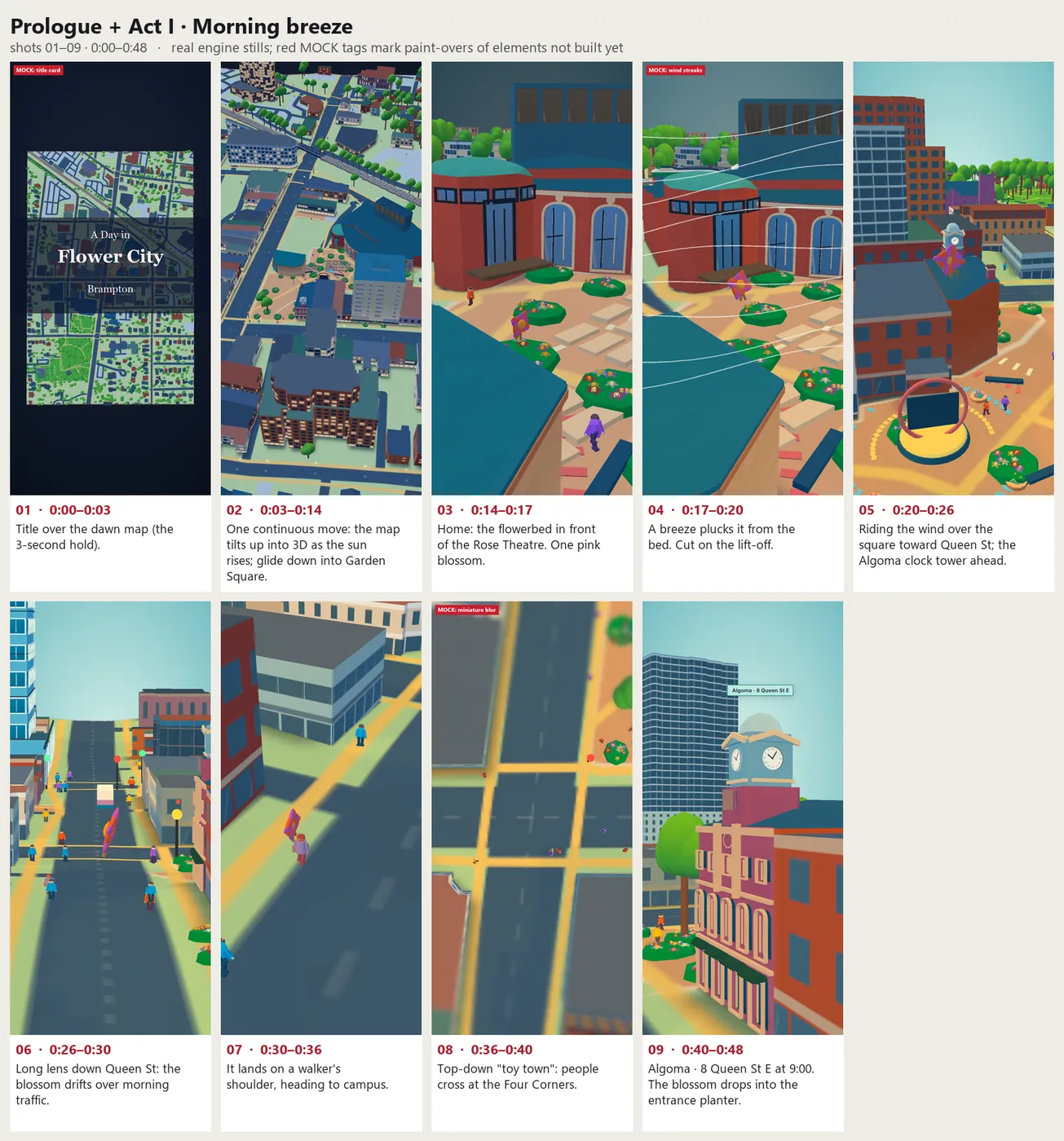
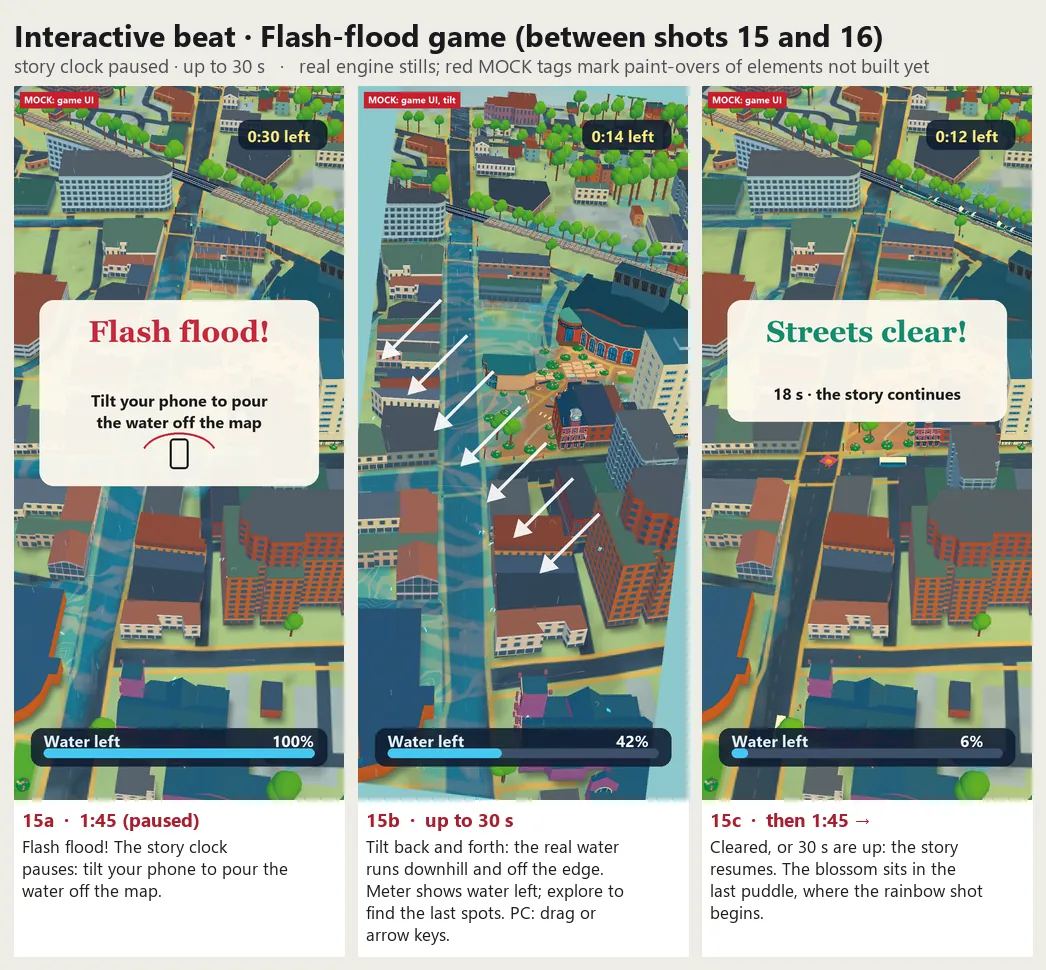
Film v2 was planned as 30–45 short shots, cut on action, with the blossom guiding the viewer through the day and a tilt-to-drain flood game after the storm.

The planA storyboard of real engine stills

Board 1 (left) shows the opening shots, with props not yet built marked as mock-ups. The flood-game board (right) is where the tilt game first appears: tilt the phone to pour the flood off the map.

Storyboard board 1: six annotated phone frames from title map to the clock tower.
Board 1 of 4, the opening
Storyboard for the flash-flood game: flood alert, tilt to pour, streets clear.
KeptThe flood game

The lookAct I as a miniature diorama

Long lenses, tilt-shift blur, golden light. Compare it with the sharp ink look the film has today.

Act I, diorama look
Decision

Forget the existing film plans: focus on direction with the models as they are. The lens effects went too. The flood game survived.

Day 7Thu 8 Oct10:34–16:03

“Hello, I'm Brampton”

A new idea instead of a patch: the city itself talks to the person holding the card.

In short captions, the city asks for the viewer's help in a storm (tilt me toward the creek) and ends on the card in their hand. Algoma University's campus runs through the story.

Step 1The storyboard, as real engine stills

8 of the 16 frames, in order. The film starts and ends on the card's map; the storm and the viewer's turn sit in the middle.

Storyboard 1: the card's map, top down.
1 the card's map
Storyboard 5: the Dominion Building at 8 Queen St E with its clock.
5 8 Queen St E
Storyboard 6: the GO train along the rail line.
6 GO train
Storyboard 8: Garden Square in front of the Rose Theatre.
8 Garden Square
Storyboard 11: rain at City Hall's clock tower.
11 rain
Storyboard 13: flood water in the streets, the viewer's turn to tilt.
13 your turn
Storyboard 14: a rainbow over the campus.
14 rainbow
Storyboard 16: the card's map again at night.
16 the card

Step 2Four ways to move between places

Chapter 1 was built the same day and rendered four ways. Cut jumps between places; Travel flies the camera there; Hybrid mixes the two; Locator shows a small map between places.

Cut
Taken forwardTravel
Hybrid
Locator
Review

Hybrid is okay, but some turns are sudden. Use travel more, keep going in one direction, turn calmly, and find a clear view of each landmark.

Also

Show, don't tell: the captions must not say what the camera already shows.

Day 7–8Thu 8 – Fri 9 Oct

One route through downtown

The film was given one calm route, then slowed down and finished with brighter fireworks.

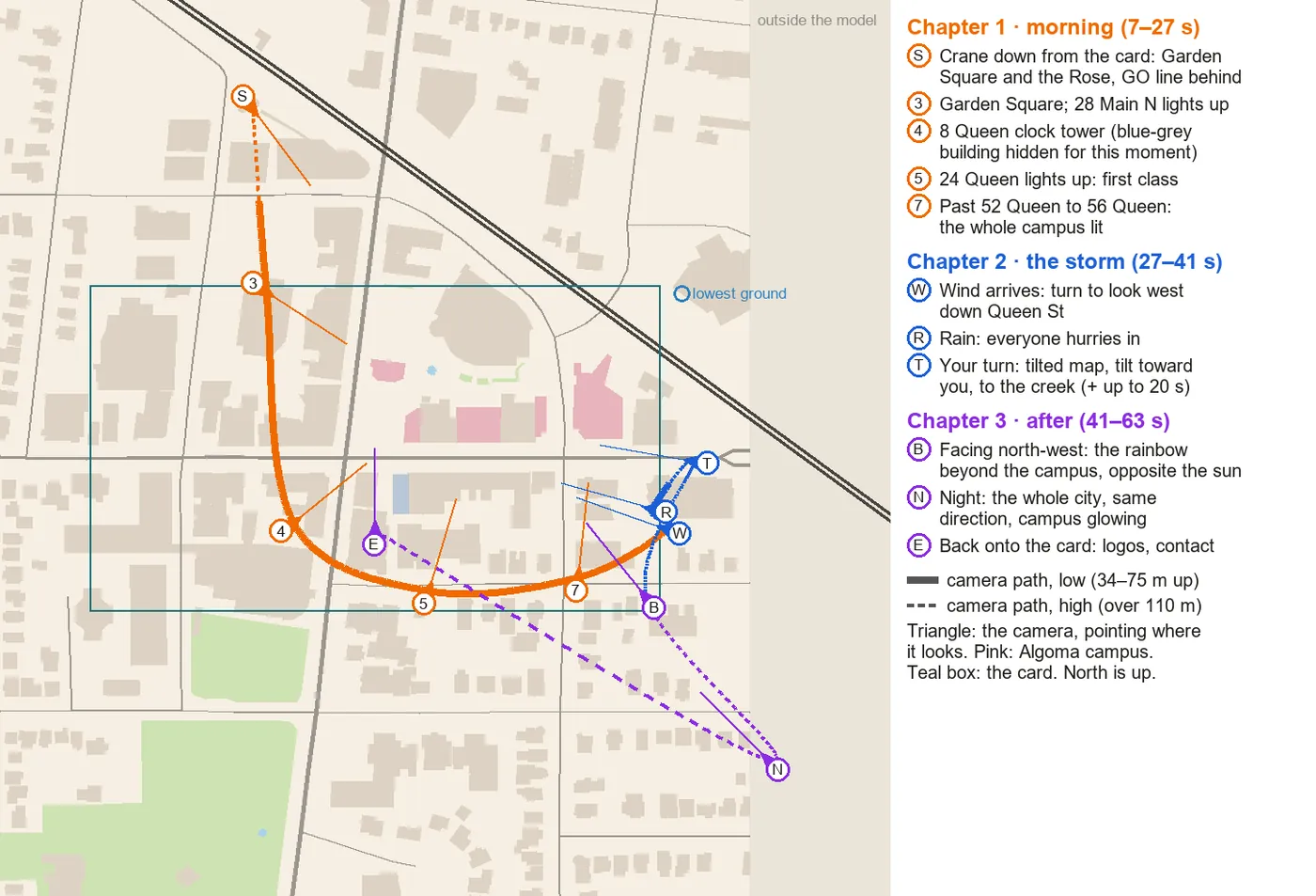
Routes were audited for what makes a good one: no doubling back, calm turns, each landmark seen clearly. The film became one arc, then a downtown loop, with people arriving by GO train and the flood game capped at 15 seconds.

PlanningThe route and the fireworks

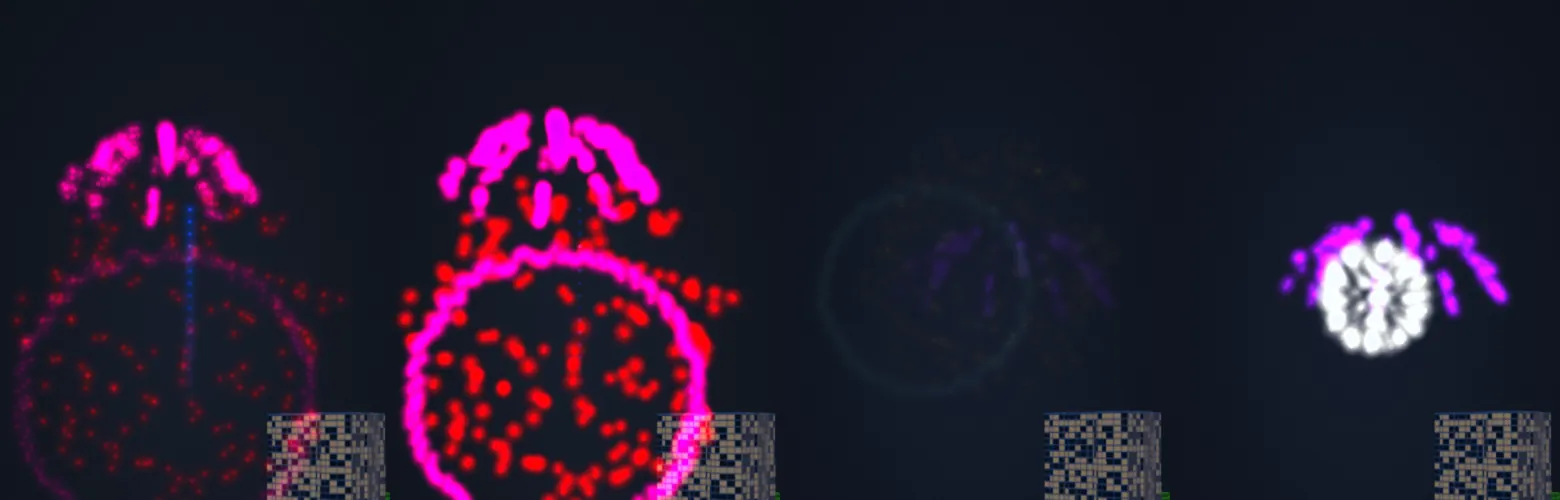
Left: the film's path as one arc through downtown, coloured by chapter. Right: two rounds of fireworks side by side; round 9 came out dimmer than round 8, and round 9b put the brightness back.

Map of the film's route as one arc through downtown, coloured by chapter.
Route arc, by chapter
Fireworks comparison between two rounds, bright bursts against dim ones.
Fireworks, round 8 against round 9b
Review

After the 97-second cut: slower, a natural pace, and longer, more vivid fireworks.

ResultThe slower film, 9 Oct

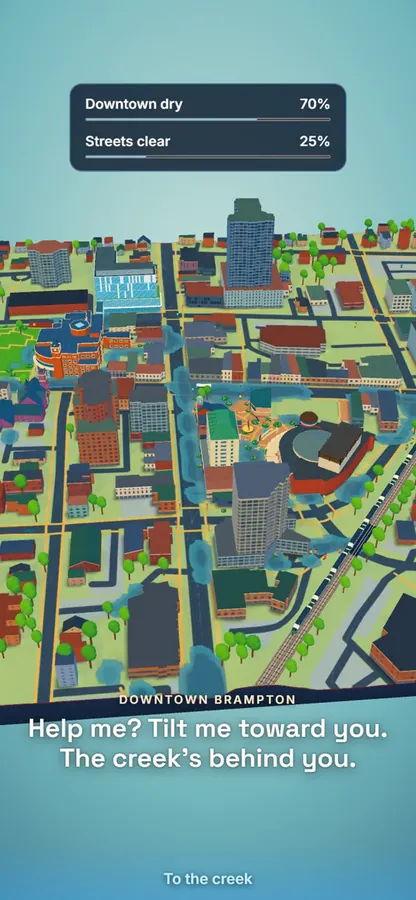
The opening (“Hi. I'm downtown Brampton.”) with the GO train, the first version of the flood game with its two meters, and the rainbow after the storm.

Opening
The flood game: 'Help me? Tilt me toward you. The creek's behind you.' with two meters.
Flood game, first version
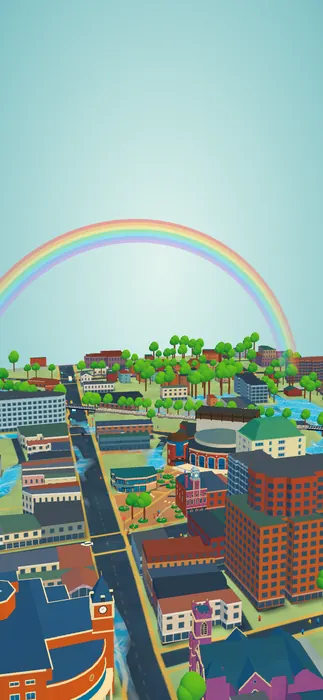
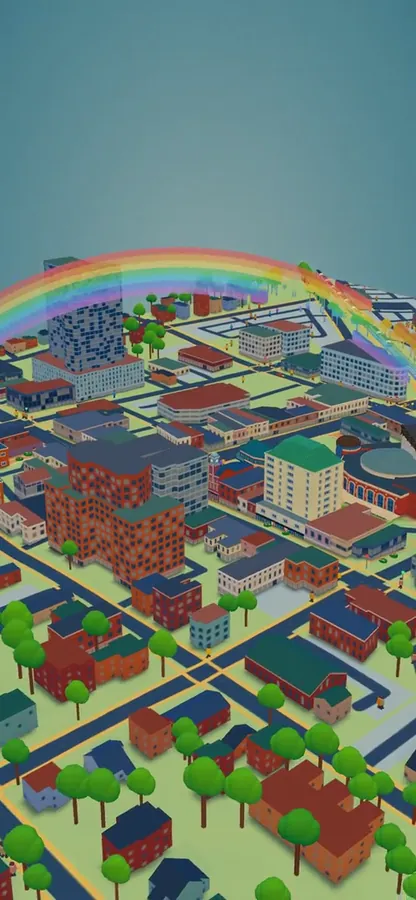
Rainbow over the city after the storm.
After the storm

Day 9Sat 10 Oct

An app around the film

Where the film ends, and how the rest of the app is laid out.

The app took a simple shape: AR or screen; inside either, the film or Look around; inside Look around, small games for the flood, wind, rain, crowds and roads. One-finger drag always looks around, in every mode, and the same action never means different things. The film went to the card's main address that day.

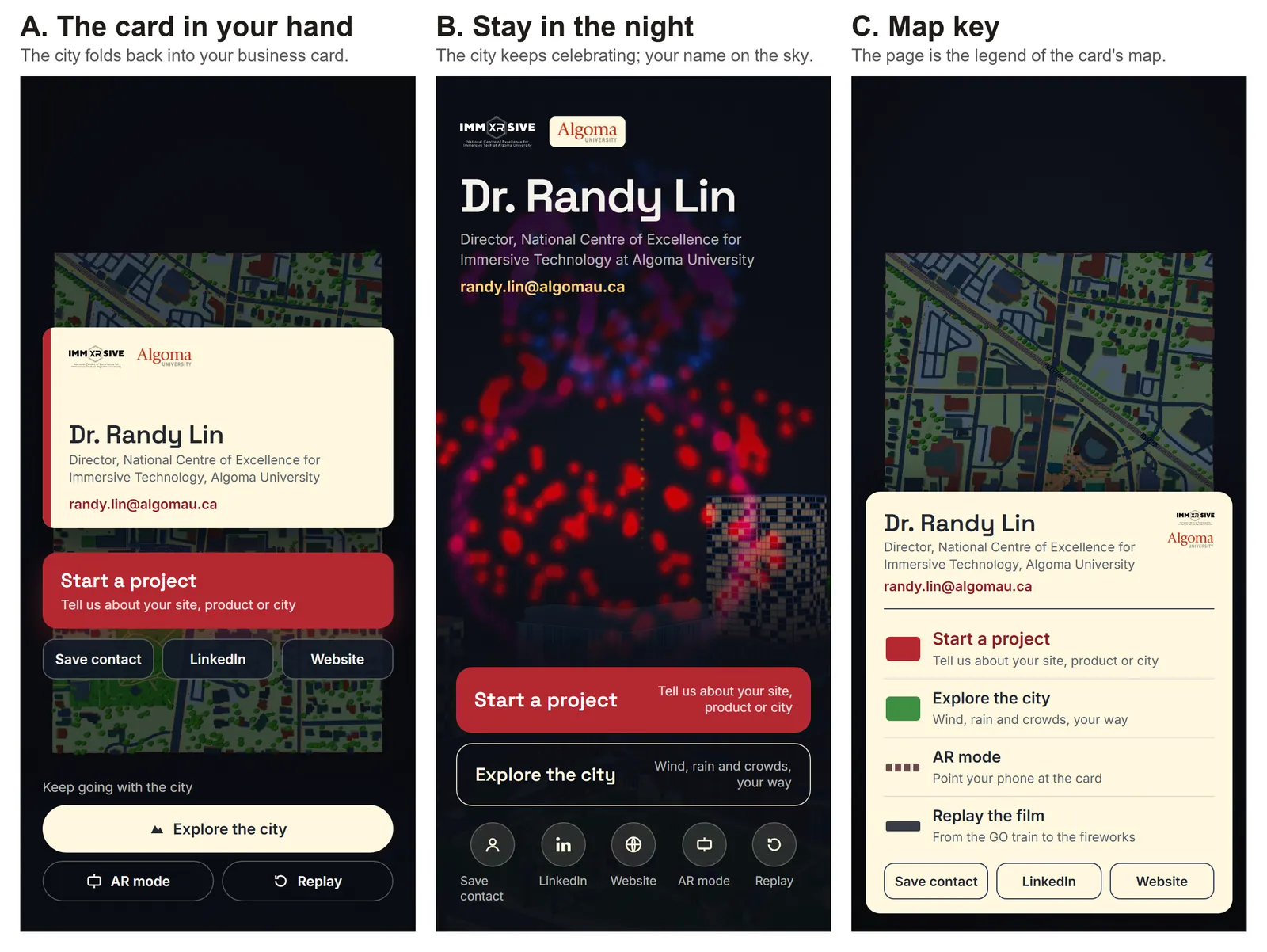
Three end pages

Where the film stops and hands over: A, the card in your hand; B, the map at night; C, a map key. B was built.

Three end-page options side by side: A the card in your hand, B the map at night, C the map key.
End page, options A, B and C

Act III

Into visitors' hands

Phone tests by real visitors drove this act: AR on the card and the table, a drawn look, sound, and the details people touch.

Day 9–12Sat 10 – Tue 13 Oct

On the card, on the table

The city stands on the printed card, or on a table, on Android and iPhone, with nothing to install.

AR on the printed card: the phone finds the map side and stands the city on it, smoothed and fading out when the card is lost. Then table-size AR on Android, fitted with two fingers and locked. iPhones get Apple's AR Quick Look from a USDZ model of the same city. The first production release went out on 11 Oct, and the card became the door to every NCoE demo through a shared hub.

Two kinds of AR

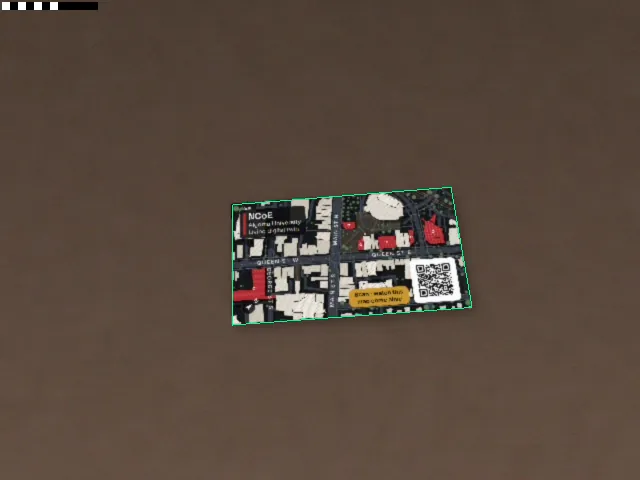
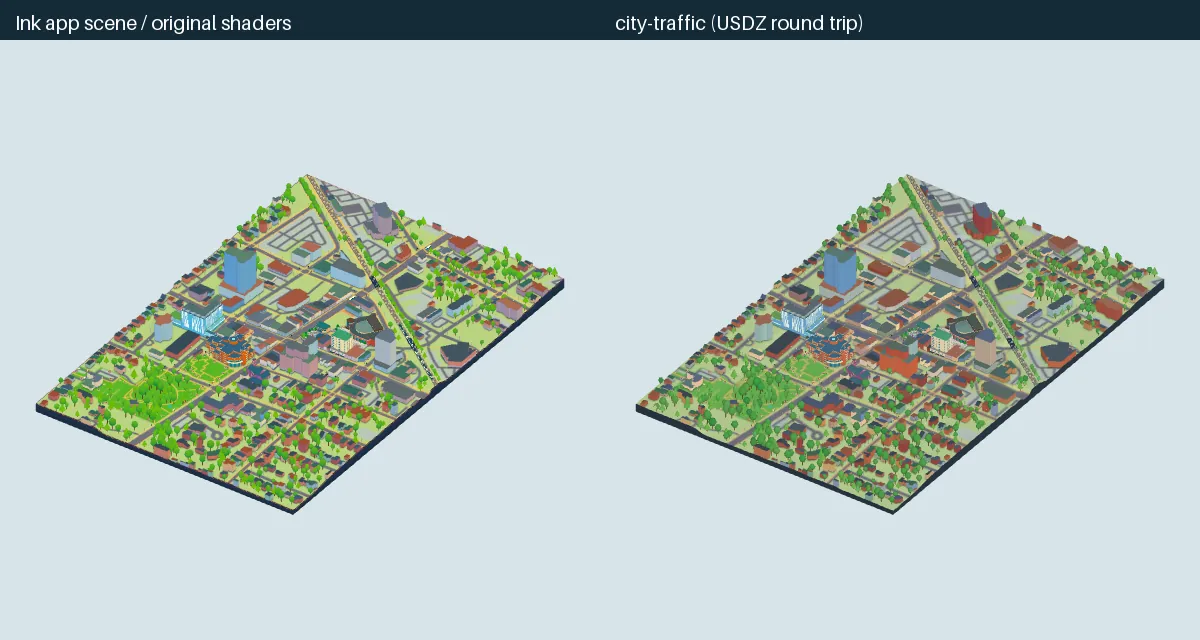
Left: a tracking test on a recorded video of the card; the green outline is where the app has found it. Right: the web city beside the USDZ model that iPhones open in AR Quick Look (no outlines or cel shading there, but the same buildings, colours and traffic).

Tracking test: the card's map side lying on a brown table, outlined in green where the app has found it.
Card tracking test
Side by side: the web app's city and the USDZ model for iPhone AR Quick Look.
Web app | iPhone AR model

Day 12–13Tue 13 – Wed 14 Oct

Ink and cel

A look review of the film led to a drawn finish, the look the card still has.

Ink outlines in a darker shade of each surface, three flat light bands with violet-blue shadows and warm highlights, one rule for buildings, trees, people and cars, and weather that stays colourful.

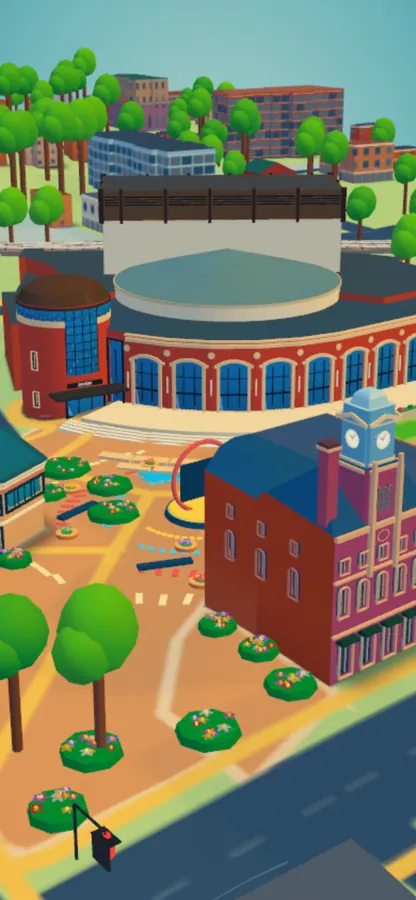
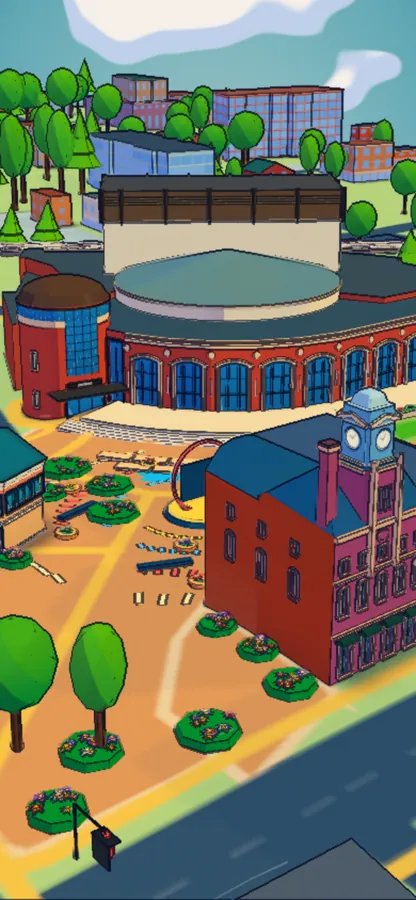
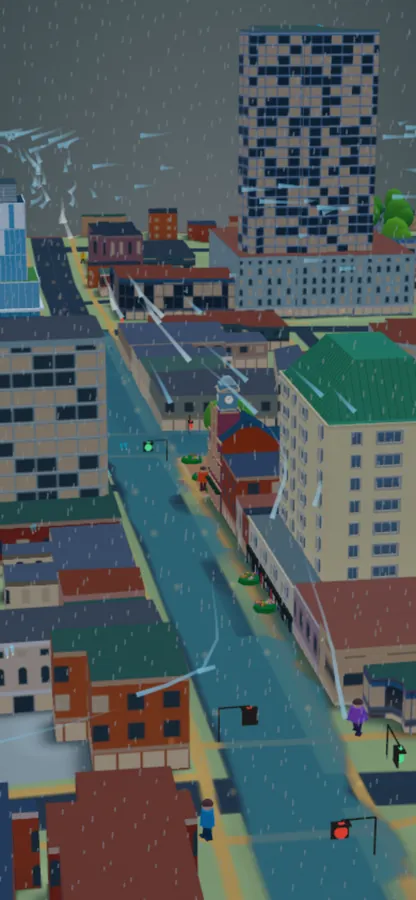
Before and ink, same frame

Drag the gold line across each frame. Left of the line is the earlier look, right is the ink look.

Day frame in the previous look.The same day frame in the ink-and-cel look.BeforeInk
Day, the Rose Theatre
Storm frame in the previous look.The same storm frame in the ink-and-cel look.BeforeInk
Storm, a flooded Main Street

How many lines?

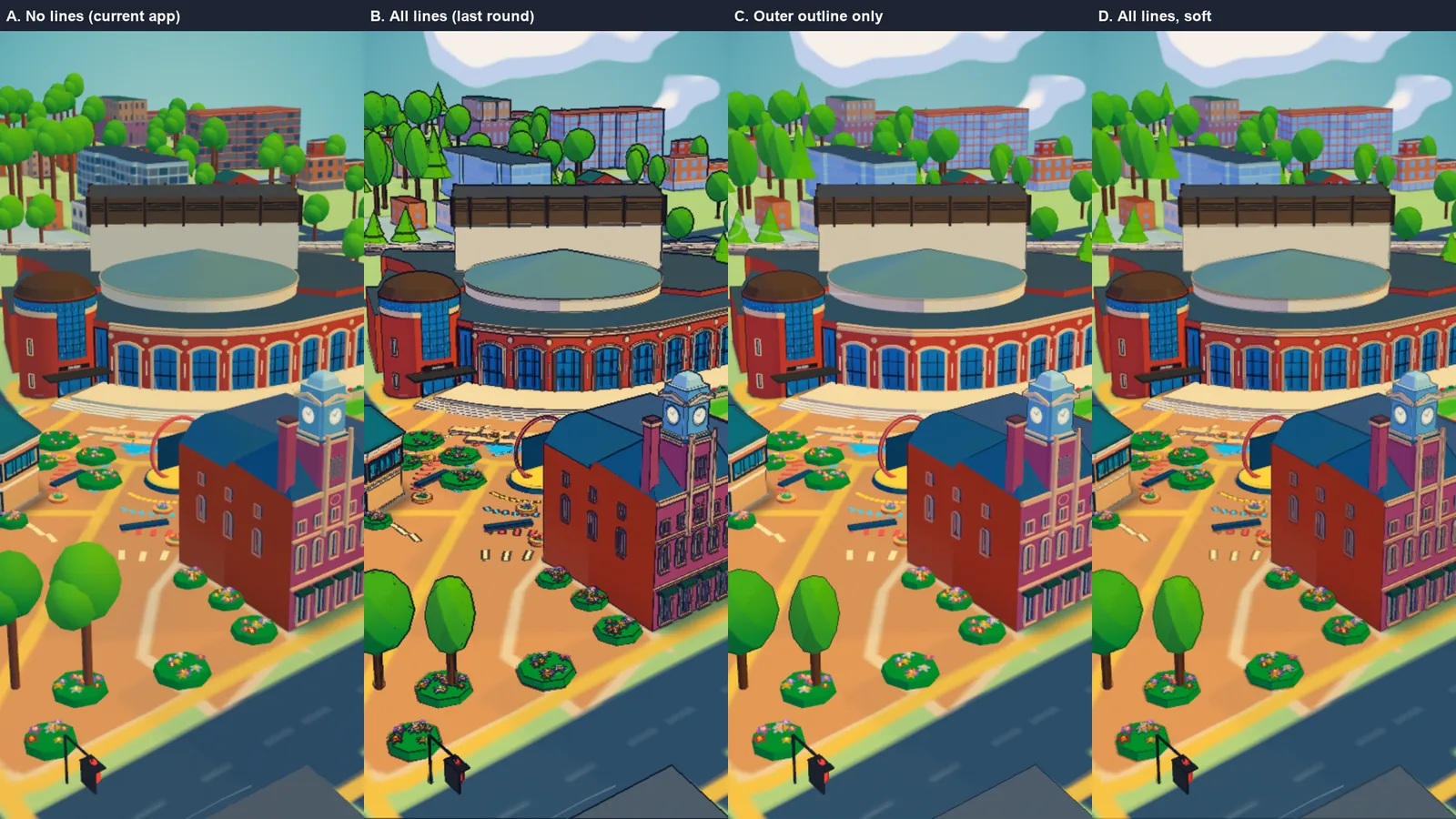
Four line treatments on the same frame: A no lines, B every edge in black, C the outer outline only, D softer lines. Black lines everywhere were too much; C or D were acceptable, and in the end outlines went only on the heroes (landmarks, people, trees and cars).

Four line treatments of the same frame: no lines, all lines, outer outline only, and soft lines.
Line options, round 1
Decision

The ink look became the default on 14 Oct, with the iPhone AR model rebuilt to match.

Day 15–18Fri 16 – Mon 19 Oct

The first eight seconds

What someone sees right after scanning became a timed opening, like a game's opening scene.

The map from above, a move to the Rose Theatre, street life, the GO train crossing behind it, then the name card. Two things had to change in the city for that to work.

ResultThe opening

From the map down to the Rose Theatre, then “Hi. I'm downtown Brampton.” and the descent past the Algoma buildings.

The opening, 19 Oct

Change 1Lowering the Rose Theatre's stage tower

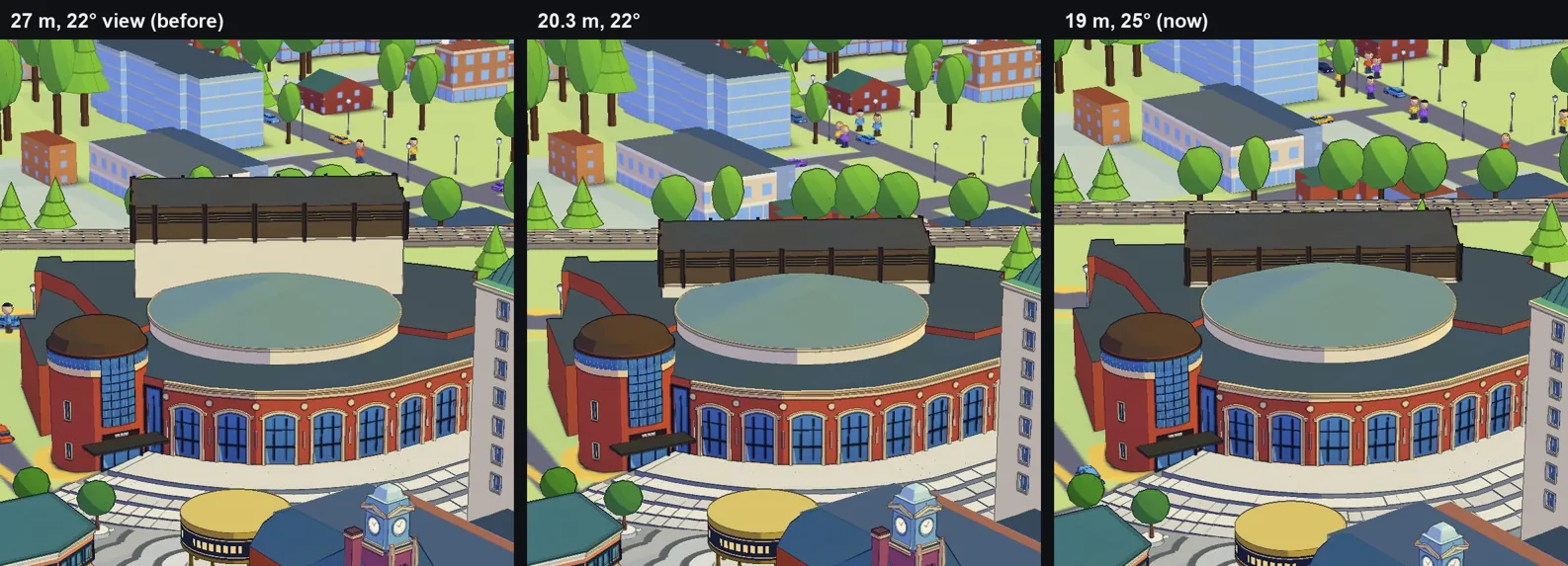
At 27 m the tower hid the rail line, and a train crosses a portrait screen in about a second. It was lowered to 20.3 m, then 19 m with the view tilted to 25°, so the train passes clearly behind.

Rose Theatre in three steps: the stage tower at 27 m hides the rail line, at 20.3 m the train starts to show, at 19 m with a steeper view the train passes clearly behind.
27 m → 20.3 m → 19 m

Change 2New people, designed from concept art

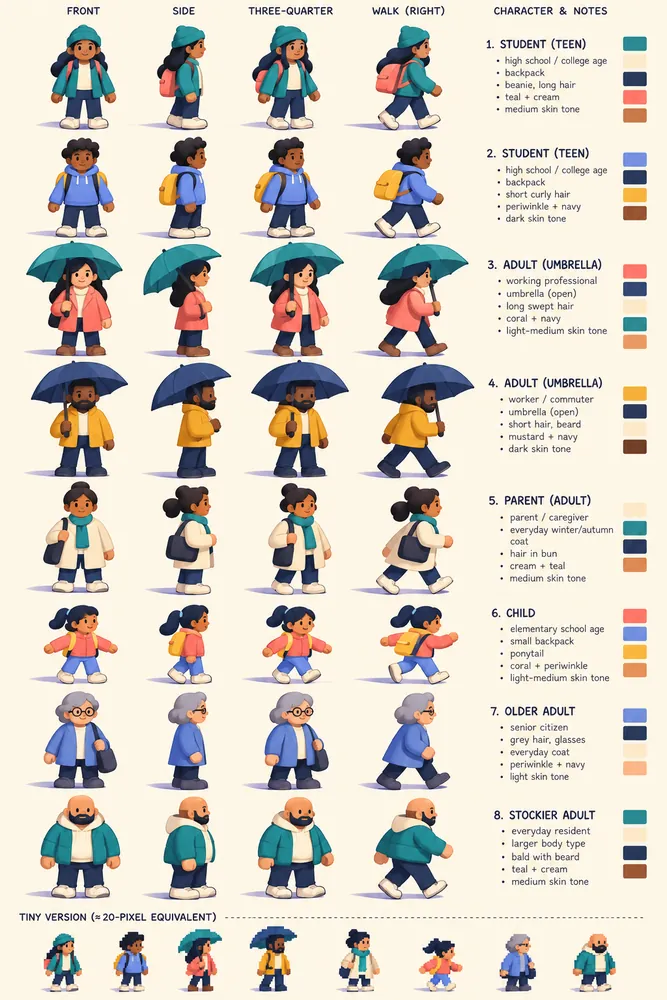
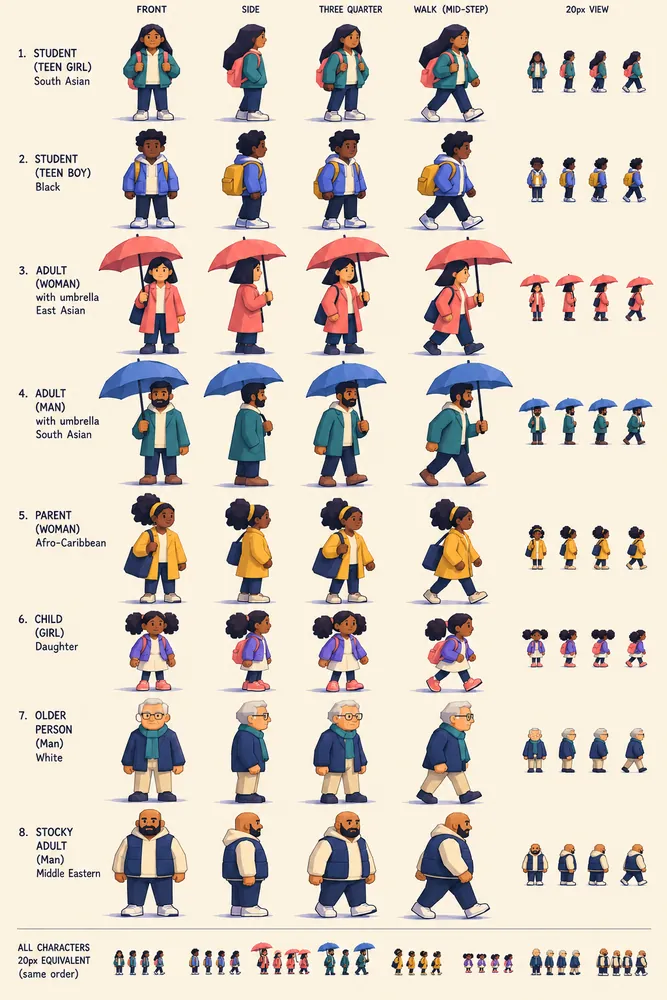
Two AI concept sheets in the city's style; “Rounded citizens” was chosen and modelled. Below: the same street with the old and the new people.

AI concept sheet 'Rounded citizens': chunky cartoon people with round heads in teal, coral and mustard.
ChosenRounded citizens
AI concept sheet 'Angular storybook': taller angular cartoon people.
Angular storybook
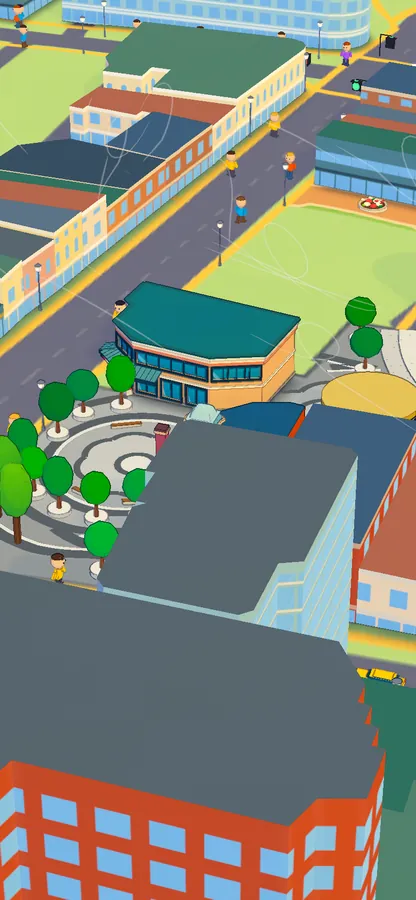
Street scene with the earlier simple people.
Before
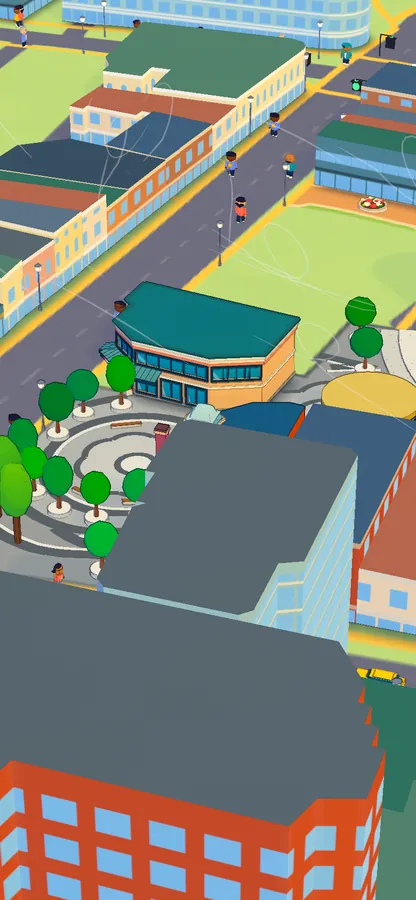
The same street scene with the new rounded people in varied clothing.
AfterNew people

Day 18–19Mon 19 – Tue 20 Oct

Sound, all generated in code

An original score and city sounds, with no recordings: everything is synthesised in the browser.

The music is in the spirit of classic JRPG town themes. The city's sounds are composed into it: the clock-tower chime and the GO train whistle are tuned to the chords, and the name card rises on the opening's final chord.

ListenThe opening with its music

These two clips play with sound. The first is the opening from a listening test; the second shows the fireworks bursting on the music's downbeats.

Opening, with sound
Fireworks, with sound

ChooseSounds picked by ear

Each set is the candidates that were compared on a phone; the gold tag marks the one chosen. Tap one to play it, tap again to stop. The first train sounds were mostly below what a phone speaker can play, so they became tuned whistles.

Clock-tower bell
GO train
What runs under whistle C

Day 19–21Tue 20 – Thu 22 Oct

The small things visitors touch

Each round of phone feedback became a small redesign.

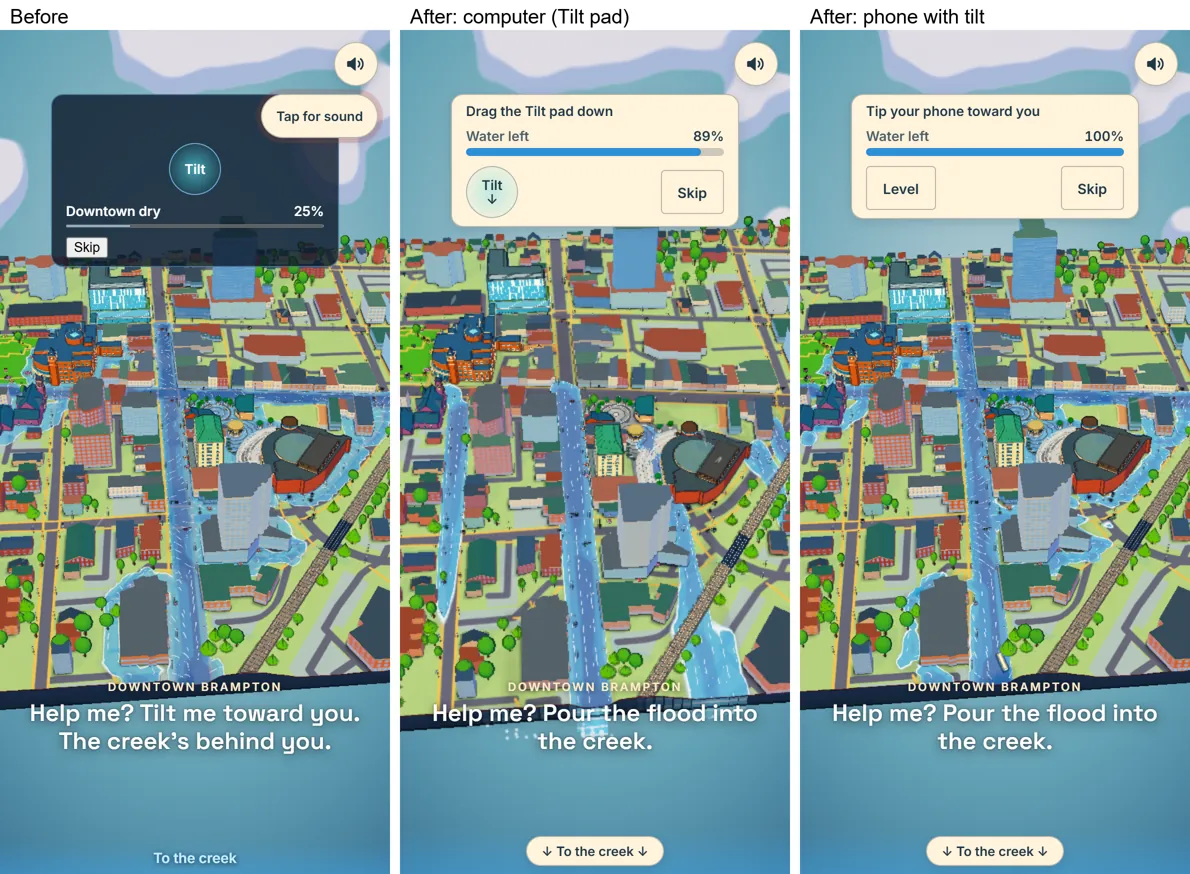
1The flood game's meter

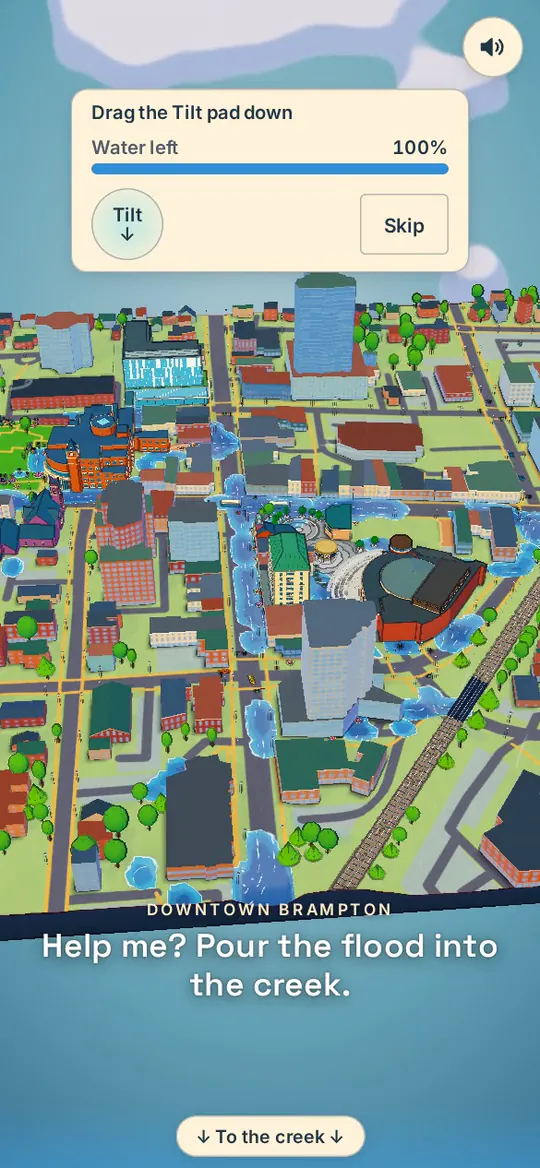
The old meter grew as the water left, so it read the wrong way round. Now one “Water left” meter starts full and empties as you pour, with one instruction for your device.

Flood game interface before and after: two meters become one 'Water left' meter with a single instruction.
Before | after

2The card and the loading screen

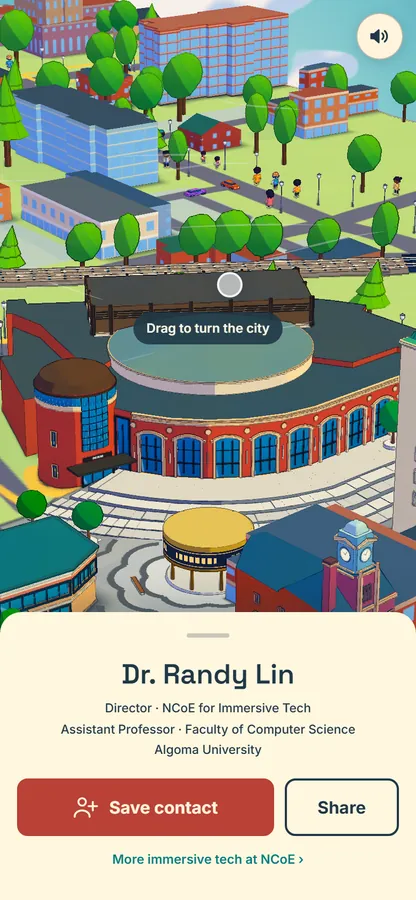
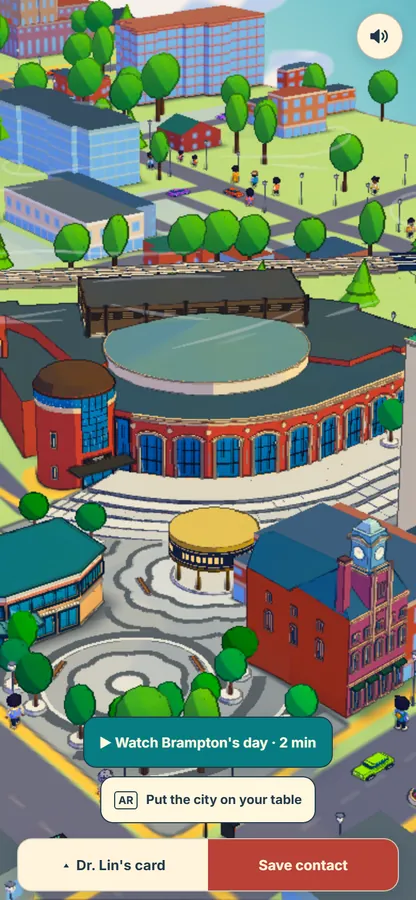
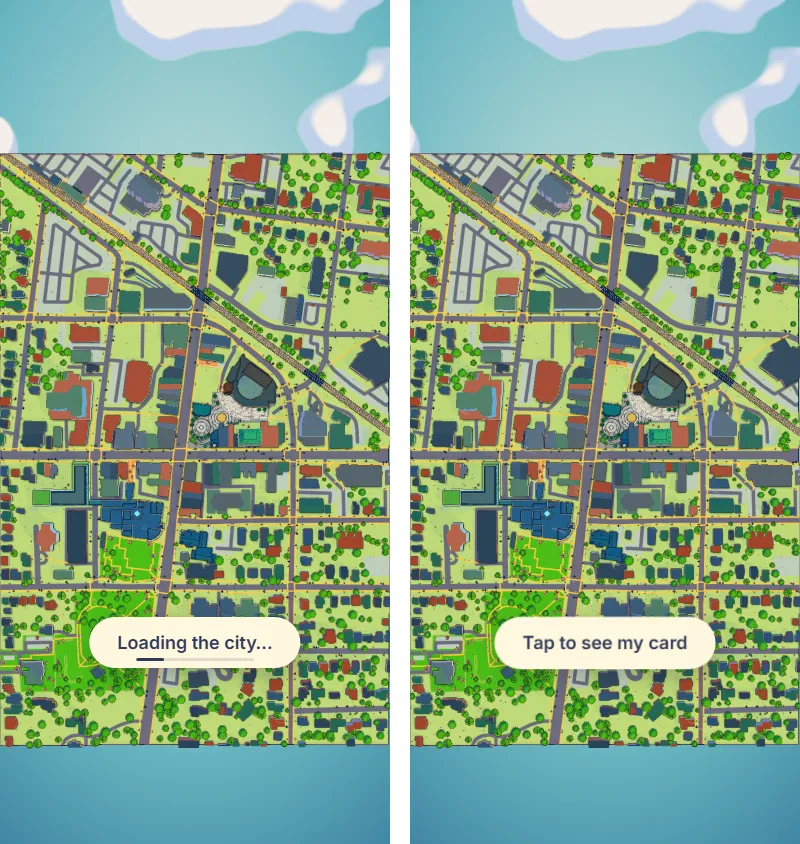
The card was cut down to the contact alone and folds away as soon as you touch the city above it. The start screen says “Loading my card…” until the city can answer a tap, because people kept tapping a screen that could not respond yet.

Redesigned card: name, roles, Algoma University, Save contact and Share over the city.
The card
The card folded to a tab, with Watch Brampton's day and AR buttons above it.
Folded, after a touch
Start screen while loading, then ready: 'Loading my card…' with a bar, then 'Tap to see my card'.
Loading → ready

3Where the Menu lives

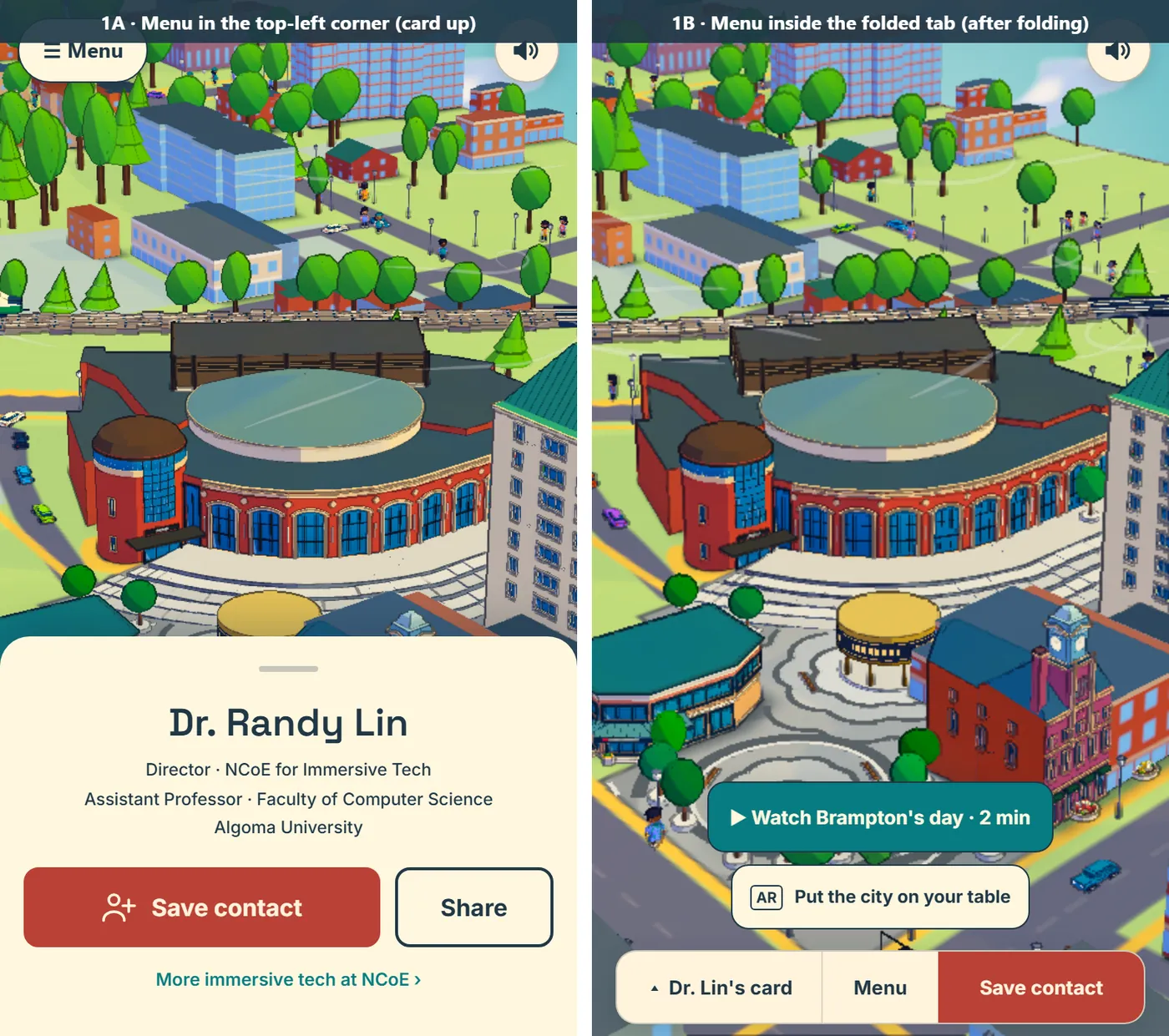
Two placements were mocked up for the card view. The Menu became the middle button of the folded tab, and it fits a phone without scrolling.

Two Menu placement proposals shown side by side.
Menu, two proposals

Day 26Tue 27 Oct

Ready for print and every phone

The latest release: print files, Android AR and every AR control tested.

The print sheet got cut marks at the four corners only, with no line along the trim on the back. A Chrome update had stopped Android table AR from drawing the city; switching back to the classic WebXR layer fixed it. Every control was then tested in table AR, and phones gained a second button on the start screen: “AR · City on your table”.

Open the build:Release 27 Oct ↗
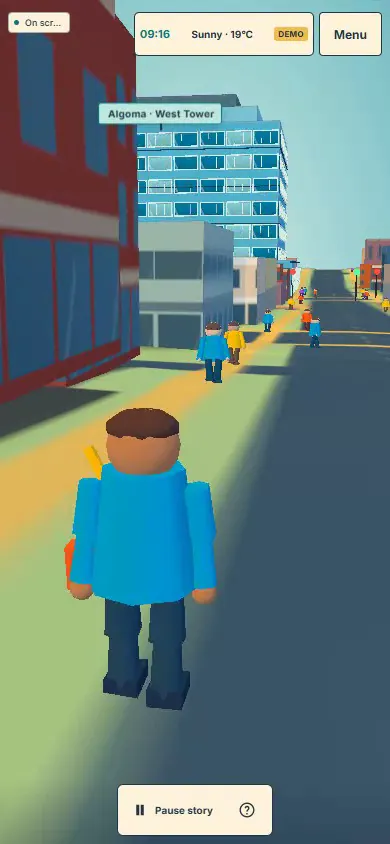
The film today · with sound

Hi. I'm downtown Brampton.

The film as it plays on the card's link today (the 27 Oct release), rendered frame by frame at phone size, with its music and city sounds synthesised from the same code. After the opening, the app plays only the cars, people and trains near the view; this offline soundtrack has no city to listen to, so its street sounds stop there too, leaving the weather, birds, the square's crowd and the fireworks. Turn the sound on and press play. Nobody pours the water in this render, so the flood game runs its 15 seconds and the story carries on; on a phone you can take over the camera at any moment.

Four moments from it

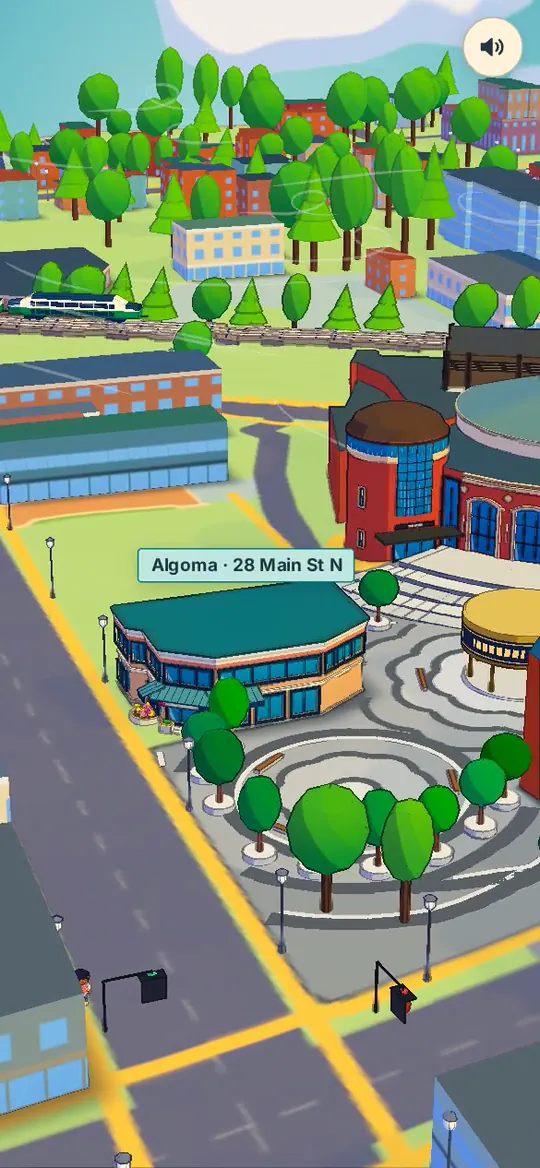
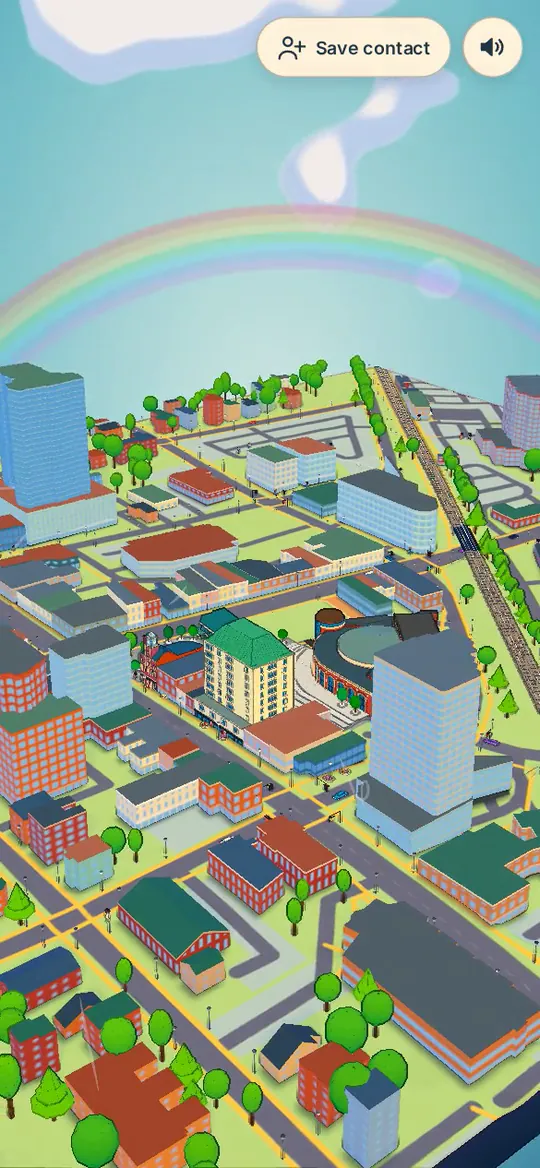
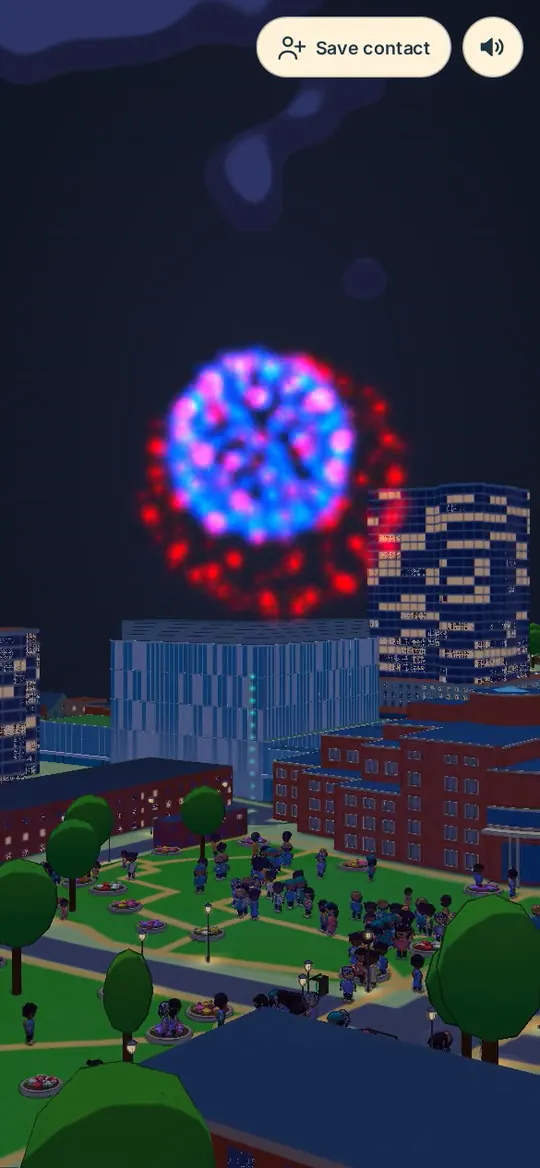
The Rose Theatre at the start, the flood game in the storm, the rainbow after it, and the fireworks before the film ends on the card.

The Rose Theatre and Garden Square in the ink look.
0:13 Rose Theatre
The flood game during the storm, with the Water left meter.
1:02 the flood game
Rainbow over downtown after the storm.
1:20 rainbow
Fireworks over the city at night.
1:57 fireworks

Click the left or right side, or use ← →, to step through this stage. Esc closes.Tap the sides or swipe to step through this stage.